
Originally published July 17, 2026. Updated September 9, 2026. This revision replaces the earlier pre-release assessment with the official launch, current platform documentation, and Veemo’s present workflows.
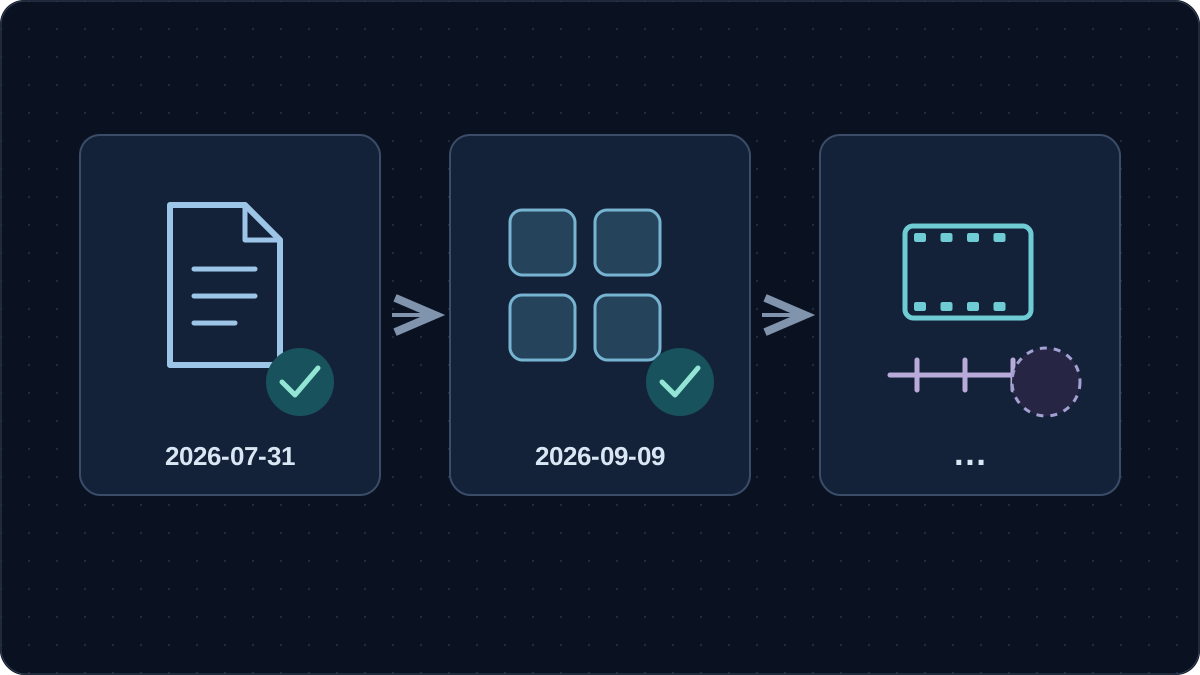
Seedance 2.5 was officially released on July 31, 2026. ByteDance’s launch announcement establishes that date. Veemo now provides a product page with Create, Edit, Extend, and First & Last Frames workflows. This review checked public sources and the implementation, but did not submit a real generation task. Release, documented capabilities, and a successful job in your account therefore remain separate types of evidence. The practical decision is which workflow fits your materials, what its current controls allow, and whether a small sample meets your delivery requirements at an acceptable cost.
Seedance 2.5 release status: three levels of evidence
The old article’s waiting-for-release conclusion is out of date. A dated announcement from the model’s developer now answers the release question. Your project still needs two further checks: whether the chosen platform exposes the feature you need, and whether your account can complete an acceptable job.
| Evidence level | What is established | What to decide next |
|---|---|---|
| Official release | The developer announced launch on July 31. | Evaluate a released model using current information. |
| Platform documentation and controls | BytePlus and KIE publish API documentation; Veemo presents four workflows. | Match your required inputs and output settings to the exact platform. |
| Account and output evidence | No real task was run for this update. | Check your account quote, completed job, downloaded file, and acceptance criteria. |
The announcement described rollout to Jimeng AI and Doubao Pro, with BytePlus API access still forthcoming on that date. Current BytePlus LAS documentation now includes the model, task creation and retrieval, and billing entries. Keep those dates distinct: an earlier API preview statement does not describe the present documentation.
Likewise, an account limitation does not reverse a release. If a setting is absent, record the platform, date, account context, and missing option. That observation is useful to your team without turning it into a claim about every user.
Seedance 2.5 capabilities and platform limits
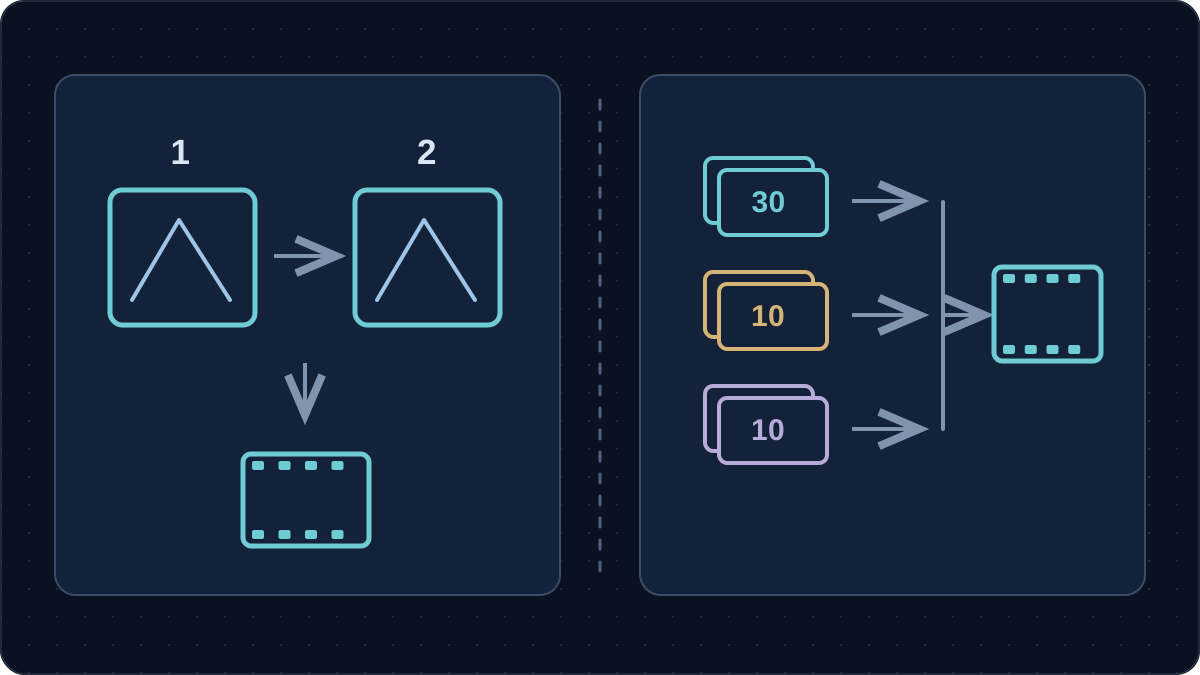
Seedance 2.5 supports up to 30 seconds per generation according to its official model page, which also states that a generated video can be extended twice. The launch announcement specifies up to 30 images, 10 video clips, and 10 audio clips in one reference set. The combined allowance is 50 assets, not 50 images. These are vendor specifications; this article did not measure their performance.
A maximum gives you room to plan, but does not tell you how much material a shot needs. A simple product reveal may need only two approved views. More references introduce more relationships for the prompt to explain and more opportunities for inconsistent product details.
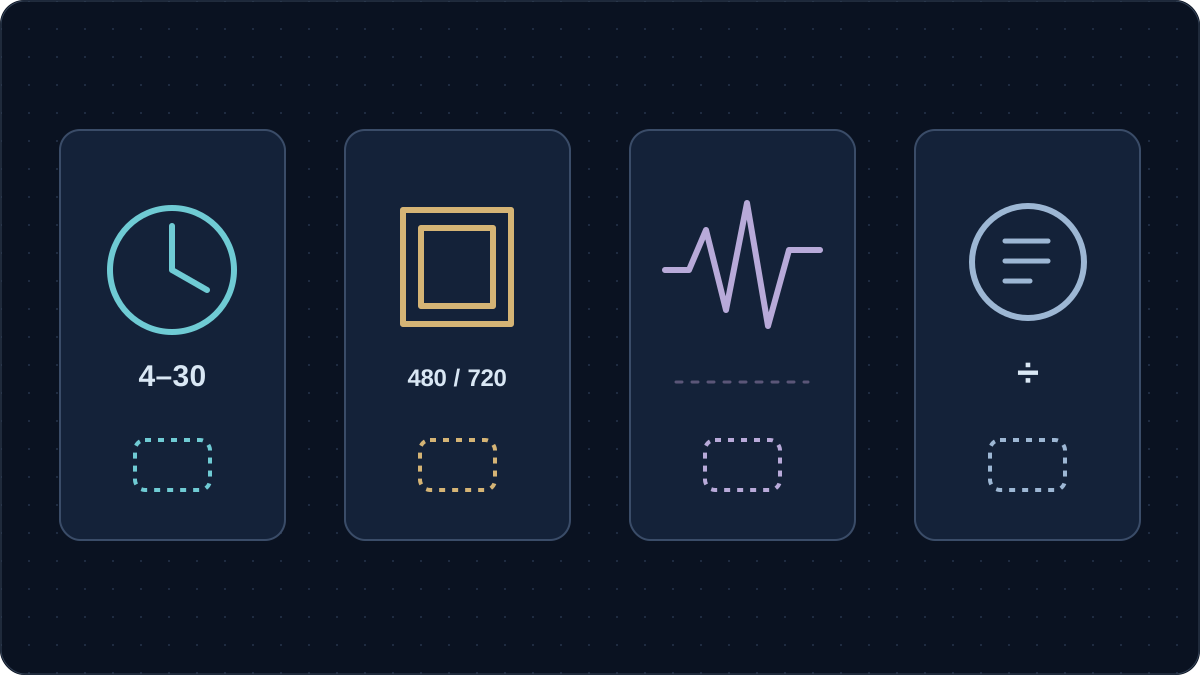
| Surface checked | Documented duration | Listed resolution | Planning boundary |
|---|---|---|---|
| BytePlus LAS model-specific documentation | 4–30 seconds | 480p, 720p | Its service specification does not establish another platform’s account access. |
| KIE API documentation and public controls | 4–30 seconds; an automatic-duration option is also documented | 480p, 720p, 1080p | Do not transfer these options to Veemo by assumption. |
| Veemo’s current product page | 4–30 seconds | 480p, 720p | Check the active controls and actual output for your chosen workflow. |
Sources: BytePlus output requirements, KIE API documentation, and Veemo’s current model page.
The KIE landing page advertises native 4K while its displayed resolution choices stop at 1080p. That mismatch prevents a single cross-platform 4K claim. For a 4K delivery brief, distinguish generation resolution, later enlargement, and final export dimensions. Request an output-file check before treating any of them as fulfilled.
The official model page describes reference control and editing, including camera and green-screen applications. Such capabilities can inform a sample brief; they do not establish exact preservation of every product feature. Similarly, extension support does not promise unlimited rounds or a seamless result in every interface.
Which Seedance 2.5 workflow fits your starting material?
Veemo’s page and implemented workflows now cover four distinct starting points. Choose the operation by what you already have and what must change. This is a workflow guide based on current controls, not a record of four successful generation tests.
| Workflow | Starting material | A useful first question |
|---|---|---|
| Create | A prompt, with optional image, video, or audio references | Can one short shot communicate the intended action? |
| Edit | A primary video and a requested change | Which visible detail should change, and which details must survive? |
| Extend | A primary video and a description of what follows | Does the next action begin from the subject’s actual ending state? |
| First & Last Frames | Two images defining the opening and closing views | Is the movement between these views physically plausible? |
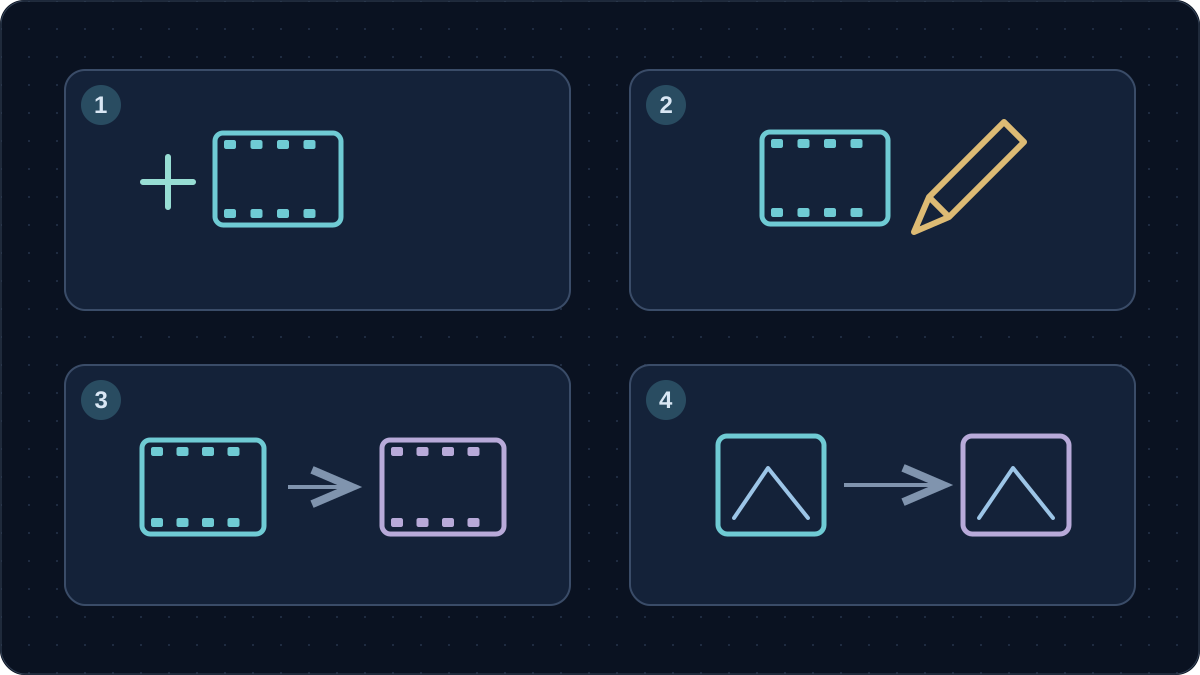
For example, an approved tabletop photograph supports planning a new reveal. A usable clip with an unsuitable background suggests an edit. A clip that stops before the product closes suggests an extension. Two approved views can define a transition, provided they show the same item with compatible proportions.
These are different assignments even when the product is identical. For an edit, write down the unchanged details. For an extension, record the ending position, camera direction, lighting, and sound. Veemo describes extension as prompt-guided and explicitly does not guarantee frame-exact continuation.
KIE’s input guidance separates first-frame, first-and-last-frame, and multimodal-reference scenarios; they cannot be combined as one mode. Veemo’s current frame workflow likewise uses two images rather than a mixed video-and-audio pack. Use the selected mode’s fields instead of uploading every available asset.
View the current Seedance 2.5 controls on Veemo to compare those starting points. A visible option is useful planning evidence; your completed sample is the evidence for its suitability to your brief.
Prepare a reference pack with a clear job for every file
Before evaluating Seedance 2.5, gather a small, consistent pack. Keep an original copy outside the generation workspace so you can compare a result against the material you actually approved.
- Product facts: list the correct color, proportions, moving parts, label text, and any claims supported by product documentation. Mark details that must never be invented.
- Approved views: include the angles needed for the action. Check that every image shows the same variant and revision; remove contradictory packaging or accessories.
- Primary video: for an edit or extension, retain the source clip and note the relevant time range. Identify distracting cuts or camera changes before adding instructions.
- Sound plan: specify whether speech, ambient sound, or silence is required. Keep approved wording separate from a visual mood reference.
- Frame plan: for two-frame work, compare object scale, framing, camera height, and light direction. A large mismatch should be resolved in the inputs first.
- Permissions and delivery: record permission to use reference footage, people, voices, and music, together with the client’s format and disclosure requirements.
A reference-role note can be one sentence: “Use the photograph for the product’s appearance and the clip for the camera movement.” This makes conflicts easier to spot. Avoid using a generated side view as proof of a hidden hinge, connector, or control that no real photograph confirms.
For commercial work, the model name alone does not answer whether your materials are usable. Check the applicable service terms and the permissions attached to each input. Keep synthetic presenters separate from genuine customer testimony, and limit product claims to facts your team can substantiate.
Budget Seedance 2.5 by accepted footage
There are now published billing entries, so the old claim that no pricing documentation exists is obsolete. However, this update did not inspect an applicable account quote or bill. A provider’s public tariff, a subscription allowance, and Veemo credits are different units. Do not turn one into another without a documented conversion.
Copy the current quote before submitting a sample. Record whether it depends on duration, resolution, references, or audio. After completion, reconcile the quote with the charge. Keep credits separate from money, and use one currency for the total. For prepaid credits or subscriptions, document how you allocate cost to the sample; if no reliable allocation is available, report credits and labor separately.
| Worksheet item | Your value | Evidence to retain |
|---|---|---|
| Account, platform, date, workflow, and settings | _____ | Saved settings and the applicable quote |
| Total attempts / completed jobs / accepted clips | _____ / _____ / _____ | Job log and review decisions |
| Credits charged / credits restored | _____ / _____ | Account usage history |
| Money allocated to this sample / applicable monetary refunds | _____ / _____ | Bill and documented allocation, in the stated currency |
| Additional audio, export, or enlargement charges | _____ | Only charges not already counted above |
| Preparation and editing hours × internal hourly cost | _____ × _____ | Time log and your own labor assumption |
| Accepted usable seconds | _____ | Duration remaining after required cuts |
Total sample cost = allocated charges − monetary refunds + additional charges + labor cost. Divide that total by accepted clips for cost per usable clip, or by accepted usable seconds for cost per usable second. If nothing is accepted, the unit cost is undefined; report the amount spent and the failed sample instead of dividing by zero.
This Seedance 2.5 worksheet deliberately contains no sample prices or invented acceptance rate. Record billed failures and confirmed refunds as they occur. A technically completed clip may still be rejected for product distortion, and that rejection belongs in your production budget.
Run a small sample with a written acceptance test
A first Seedance 2.5 sample should answer one business question. For a reveal, that might be whether the product remains recognizable during a gentle camera move. For an edit, it might be whether a changed background leaves the item’s geometry intact. Agree on the question before examining attractive outputs.
Our suggested starting brief is a single eight-second shot at 720p, using an aspect ratio already required by the project. This is an original, untested evaluation plan, not an optimal setting established by experiments. Keep the subject, references, duration, and framing fixed when comparing two prompt variants; change only the instruction being investigated.
Set a spending ceiling and review checkpoint before submission. Save every attempt, including failures and rejected clips. Otherwise, a folder containing only the best result cannot tell a producer how many attempts a similar shot may require.
- Identity: compare the product’s outline, parts, color, and markings at the beginning, middle, and end. Check hands and faces when present.
- Action: watch at normal speed, then inspect any suspicious contact or movement frame by frame. Reject impossible assembly or invented product behavior.
- Continuity: for edits, compare areas meant to remain unchanged; for extensions, inspect the join and the first new action.
- Audio: listen for intelligible words, appropriate timing, and unwanted sounds. Add and proofread final captions in the edit.
- Delivery: inspect the downloaded file’s dimensions, duration, format, and usable crop. Confirm that it meets the brief rather than relying on the requested settings.
ByteDance itself identifies complex motion physics and interactions among multiple subjects as remaining improvement areas in the launch announcement. Give those scenes extra attention. If a failure persists, simplify the action or replace the problematic section with filmed footage before expanding the batch.
When to experiment, and when to film the shot
Consider a small sample when the brief allows interpretation: a concept presentation, a stylized setting, or a camera idea the team wants to explore. The value of that sample is learning whether the proposed shot works within the available time and budget.
Use real footage when the shot must establish product performance, exact assembly, a readable label, or a person’s authentic experience. An attractive generated demonstration cannot supply missing evidence for those claims. A hybrid edit can use filmed product detail alongside clearly illustrative generated material.
For Seedance 2.5, the useful next step is now evaluation of a released model. Start with approved inputs, choose one workflow, and price accepted footage. Check Veemo’s current page and controls, then make the production decision from your own sample and review record.
Watch the official Seedance 2.5 launch overview
Dreamina’s official launch video moves from a cinematic Western sequence into demonstrations of longer scenes, text-led changes, and reference-based planning. Around 0:20, a timeline accompanies the 30-second generation message. Around 0:40, an editing example replaces a foreground object with a cactus. Later, the Dreamina interface brings image, video, and audio cards together for an instruction. These examples make the input question concrete: decide whether you are creating a shot, revising a region, or organizing references before writing a long prompt.
Treat this as a vendor demonstration, not an independent comparison or a Veemo test. The longer-video feature is labeled as exclusive to Dreamina, and the 4K selector shown later belongs to that interface. Neither establishes those options in Veemo, whose checked public settings list 480p/720p. Our review inspected playback visuals; captions were unavailable and audio was not assessed. Use the official Dreamina video to understand the illustrated workflows, then apply the platform checks above to your own project.
Frequently asked questions
When was Seedance 2.5 released?
ByteDance’s Seed team officially launched it on July 31, 2026. This article originally appeared July 17 and was revised September 9 to reflect that launch. A specific account’s access still needs checking separately.
Is there an API now?
Yes. BytePlus LAS and KIE publish current model documentation with task-creation and retrieval instructions. Documentation establishes an integration path; a completed request is still needed to establish access for a particular account. This review did not make that request.
Can I use Seedance 2.5 through Veemo?
Veemo provides the model page and implemented Create, Edit, Extend, and First & Last Frames workflows. This update did not run a real generation task, so it does not certify the success, speed, or cost of each operation in your account.
Does the 50-reference limit mean 50 images?
No. The official limits are 30 images, 10 videos, and 10 audio clips in a mixed reference set. A two-frame workflow has a different input purpose. Check the selected mode rather than filling every possible reference slot.
Is native 4K available everywhere?
The sources do not support that conclusion. Veemo and the checked BytePlus model specification list 480p/720p; KIE lists 1080p as well while advertising 4K elsewhere. Check actual output dimensions and any separate enlargement stage before promising a delivery resolution.
Can an extension preserve every frame exactly?
Do not assume it. Veemo describes prompt-guided extension and does not promise frame-exact seamless continuation. Review the join, subject position, lighting, and sound. If exact continuity is mandatory, keep an editing or filming fallback.
How much does Seedance 2.5 cost per usable clip?
Use the quote shown for your settings, then track actual charges, refunds, labor, and accepted footage. Public pricing alone cannot establish your cost per usable clip. The blank worksheet above keeps the estimate tied to evidence you can collect.
