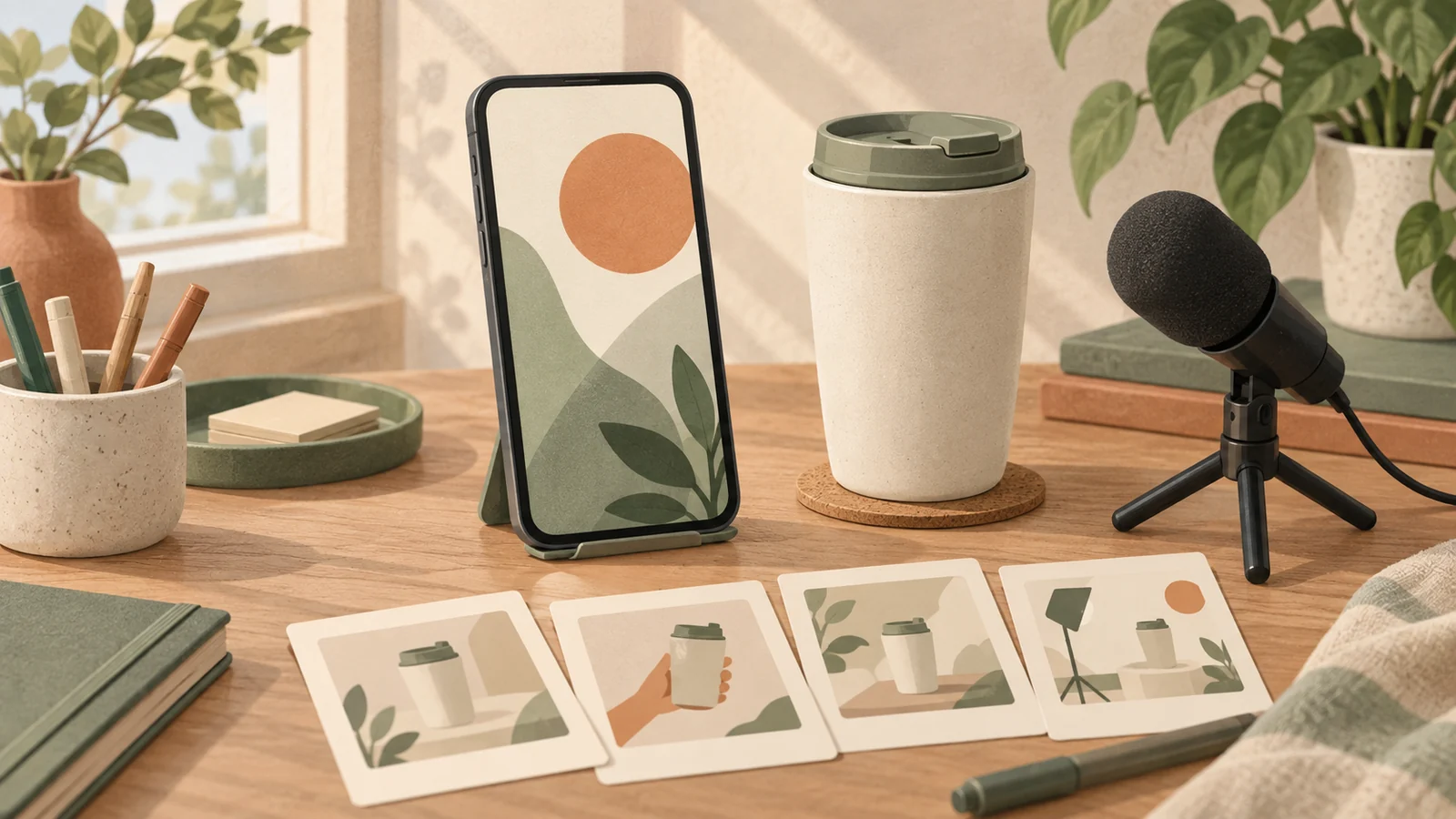
Good Seedance 2.0 prompts for UGC ads describe one person, one observable product action, and one short spoken idea. Start with approved references, keep the product visible, and generate separate hook, demonstration, and closing clips. Then review identity, contact, speech, and product accuracy before editing an ad. The eight prompts below are original, untested templates for that process. They are not model outputs, customer testimonials, or an advertising performance study. Use a synthetic presenter as a demonstrator, without inventing a real consumer’s experience. Replace every product statement with a fact your brand has verified before generating.
Choose a presenter-led task the model can attempt
This guide focuses on speaking presenters and human–product interaction. A person folding a stand introduces hand contact, facial continuity, and speech timing; a product-only image-to-video shot has a different review burden. Choose the latter when the object alone explains the feature. Choose a presenter when their gesture or spoken instruction adds useful information.
ByteDance describes Seedance 2.0 as supporting text, image, audio, and video inputs with joint audio-video generation. These are vendor-described capabilities, not proof that any specific prompt will work. Its launch report also acknowledges remaining issues with detail stability, audio distortion, and text accuracy. Those limitations inform the review criteria here. ByteDance launch report, official model overview.
When adapting Seedance 2.0 prompts for UGC ads, check the controls available in your chosen workflow. KIE documents separate first-frame, first-and-last-frame, and multimodal reference scenarios; these modes cannot simply be combined. A prompt cannot enable an unavailable input field. KIE Seedance 2.0 documentation.
Build a reusable brief for Seedance 2.0 prompts for UGC ads
Our hypothetical brief uses a folding phone stand. Assume the brand has verified that this particular stand folds flat and supports the displayed phone at the shown angle. These assumptions are examples, not claims about a product for sale. Remove either statement if your evidence does not support it.
| Brief field | Lock before generation |
|---|---|
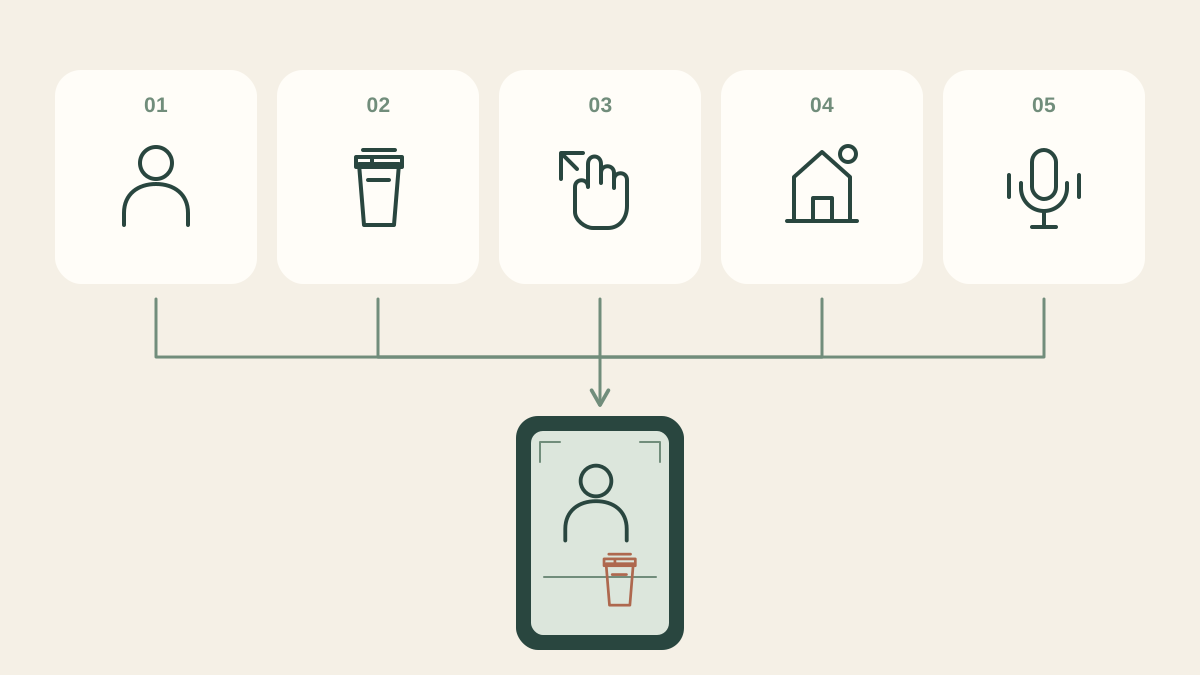
| Presenter | One approved synthetic adult, plain teal shirt, consistent face and voice |
| Product | One charcoal folding stand; approved front, side, and folded reference views |
| Setting | Neutral home desk, soft window light, uncluttered background |
| Frame | Vertical composition, eye-level camera, face and working hand visible |
| Message | Show the folding mechanism without performance or popularity claims |
| Success | Readable action, unchanged geometry, intelligible speech, usable edit boundaries |
Choose references you are permitted to use. Check product color, hinge position, proportions, and contact surfaces. Avoid conflicting reference angles that show different models. A presenter reference should keep the face unobscured and the working hand easy to distinguish. Describe how each uploaded reference should be used, using the reference syntax the interface actually supports.
Eight original prompts for a speaking product demonstrator
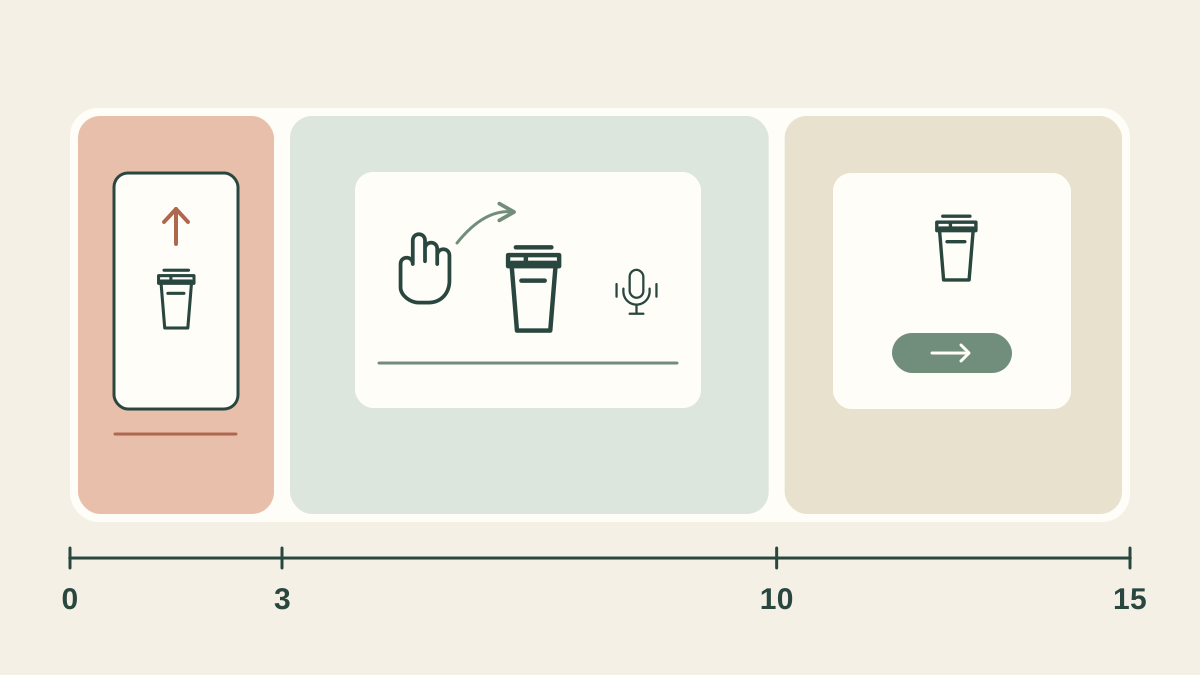
Use the fixed brief above with each prompt. For an initial test, consider 720p, a vertical 9:16 frame, and an 8–12-second single shot where those settings are available. Select settings in the interface; prompt wording describes the intended shot, not guaranteed model behavior. Keep all spoken lines short enough to leave breathing room. These Seedance 2.0 prompts for UGC ads deliberately separate difficult actions into individual clips.
1. Question hook with a visible product
Create a vertical presenter-led product clip using the approved character and stand references. The synthetic adult sits at the desk, looking toward the camera. The unfolded stand rests beside them. Their only action is pointing once toward the hinge. They say, “Want to see how this folds?” Use a calm, explanatory delivery and a locked medium shot. Preserve the face, teal shirt, stand shape, and hinge position. Keep the pointing finger separate from the product. End with a brief still hold. No generated captions, extra hands, or personal-experience claims.
Review whether the pointing gesture identifies the hinge rather than covering it.
2. Feature hook with the same composition
Create a vertical presenter-led product clip using the approved character and stand references. The synthetic adult sits at the desk, looking toward the camera. The unfolded stand rests beside them. Their only action is pointing once toward the hinge. They say, “This stand folds flat.” Use a calm, explanatory delivery and a locked medium shot. Preserve the face, teal shirt, stand shape, and hinge position. Keep the pointing finger separate from the product. End with a brief still hold. No generated captions, extra hands, or personal-experience claims.
Use this line only after confirming the fold-flat feature for the actual item.
3. Instruction hook for a practical opening
Create a vertical presenter-led product clip using the approved character and stand references. The synthetic adult sits at the desk, looking toward the camera. The unfolded stand rests beside them. Their only action is pointing once toward the hinge. They say, “Watch the hinge when it closes.” Use a calm, explanatory delivery and a locked medium shot. Preserve the face, teal shirt, stand shape, and hinge position. Keep the pointing finger separate from the product. End with a brief still hold. No generated captions, extra hands, or personal-experience claims.
Compare this opening with prompts one and two before changing the demonstration.
4. Single-action folding demonstration
Create a close medium shot of the same synthetic presenter at the same desk. Keep their face and both hands in frame. Begin with the approved stand open and empty. Their only product action is slowly folding it closed along its actual hinge, while the other hand stabilizes the base. They say, “It closes at this hinge.” Keep the camera fixed and the contact points visible. Preserve part count and proportions. End with the folded stand resting on the desk. No phone insertion, unfolding, jump cuts, or invented mechanism.
Reject clips where a finger passes through the hinge, even if the final frame looks correct.
5. Phone placement demonstration
Use the approved presenter and open stand references at the desk. Show the product from a three-quarter angle with the support ledge visible. The presenter performs one action: placing the approved phone onto the ledge. They say, “Place the phone on this support.” Keep the stand stationary and the phone’s dimensions consistent. Show continuous hand contact until placement ends. Hold the final position briefly. No screen content, floating phone, additional adjustments, unsupported weight claims, or changing camera angle. Maintain the established calm delivery and lighting.
Verify that the shown configuration matches how the real stand supports that phone.
6. Detail explanation without another moving part
Frame the synthetic presenter beside the approved stand, already folded on the desk. Their only action is tracing one short line beside the folded edge without touching or moving it. They say, “Here is the folded profile.” Keep the face recognizable and the product edge clearly visible. Use the established room and soft light. Maintain the same thickness, hinge, material appearance, and proportions across the shot. Leave the object still. No dimension overlays, comparative size claims, transformation effects, or gestures that obscure the edge.
If thickness matters to the claim, use verified product footage or a measured still in the edit.
7. Objection response through an observable check
Show the same synthetic presenter with the approved open stand empty on the desk. The presenter’s only action is pointing once at the support ledge. Spoken line: “Check the support shape against your phone.” Keep the ledge visible throughout and the product fixed in position. Use a helpful explanatory tone and locked framing. Preserve the reference geometry and presenter identity. Do not show a fit guarantee, a list of compatible devices, customer ratings, or a simulated purchase experience. Finish with a neutral expression and a brief hold.
Pair the clip with an accurate compatibility page, rather than implying universal fit.
8. Neutral closing invitation
Create a closing clip using the same presenter and desk. The stand remains open in its approved position. The presenter looks toward the camera and makes one small open-palm gesture beside the product. They say, “See the product details before choosing.” Keep their hand away from the stand. Maintain the established voice, wardrobe, lighting, and product appearance. Leave clear space around the face and object for later layout. No urgency, discounts, star ratings, customer quotes, generated buttons, or personal recommendation. End on a steady frame.
Save the successful setup as a candidate, not as evidence that all eight templates work.
Compare hooks while keeping the rest of the brief fixed
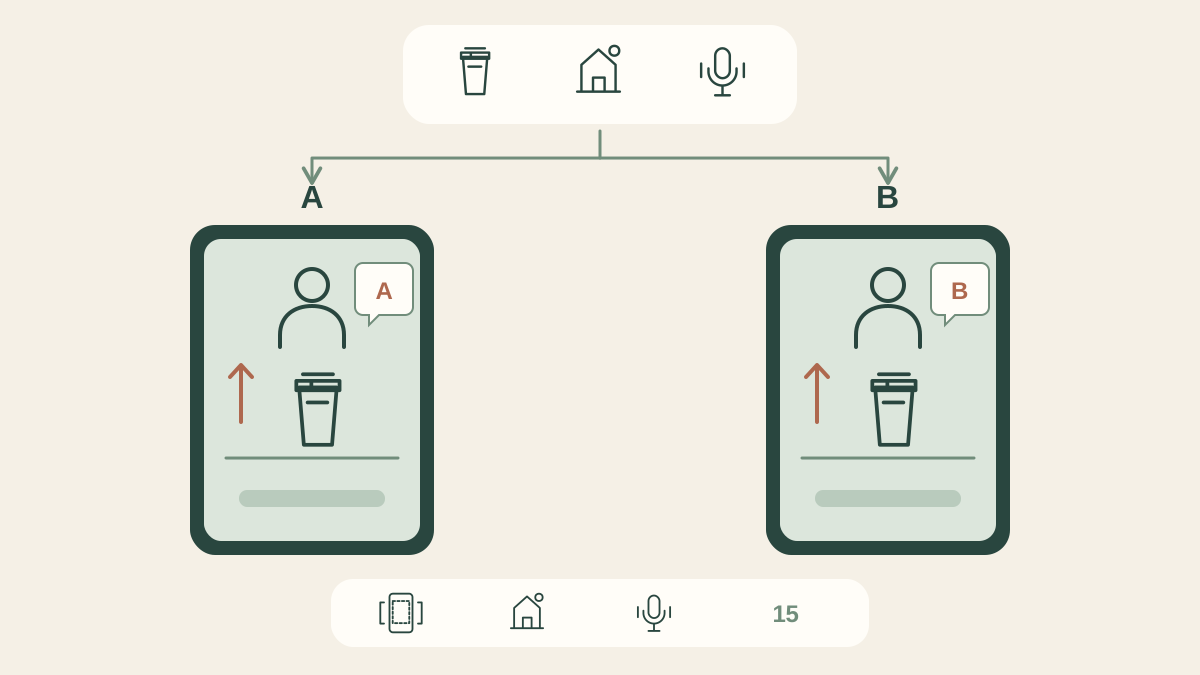
Prompts one through three form a simple comparison for Seedance 2.0 prompts for UGC ads: question, feature, and instruction openings. Keep the references, settings, product position, pointing action, and intended delivery fixed. Change only the spoken hook. Attach the same accepted demonstration and closing clip to each version during editing.
This controls your requested inputs, not every generated detail. Record unexpected differences in expression, framing, or gesture; regenerate or exclude a materially different take before comparing the openings. Generate an equal, predetermined number of candidates per hook. Keep every attempt in the log, including failures, so selection does not hide the effort required.
Review contact, continuity, and speech before selecting a clip
Judge Seedance 2.0 prompts for UGC ads against a written acceptance checklist. Review each candidate at normal speed with sound, muted, and frame by frame around contact. Assign pass, repair, or reject to each criterion. Do not average a false product claim into an otherwise attractive score.
| Criterion | Acceptance question | Next action when it fails |
|---|---|---|
| Identity | Do face, clothing, and voice remain consistent? | Simplify motion or replace the take. |
| Product | Are shape, parts, and claimed features accurate? | Reject misleading geometry or behavior. |
| Contact | Do fingers, hinge, and phone meet plausibly? | Shorten the action or use verified footage. |
| Speech | Are words intelligible and mouth timing acceptable? | Regenerate or use an appropriate voiceover cutaway. |
| Editability | Can the clip join the next shot cleanly? | Trim if enough accurate footage remains. |
| Truthfulness | Does it avoid invented experience or proof? | Rewrite the claim before generating again. |
Assemble the ad and add captions after generation
The editing stage gives Seedance 2.0 prompts for UGC ads a practical boundary: generate the performance, then manage typography and sequencing separately. Trim dead time without removing the start or completion of the demonstrated action. Match product orientation between cuts. Avoid cutting around an error in a way that falsely suggests the mechanism worked.
Transcribe the accepted speech, correct it manually, and add captions in the editor. Keep captions away from hands, the face, and the feature being demonstrated. Preview the intended placement crop on a phone. Check muted comprehension and spoken clarity separately. Add brand graphics and a destination CTA from approved assets. Keep any synthetic-presenter disclosure readable in the final layout; it must not be obscured by captions.
Calculate real cost with an empty worksheet
Budget Seedance 2.0 prompts for UGC ads around accepted material. No price or acceptance rate was measured for these templates. Fill in actual account quotes and charges; a provider’s published rate is not automatically your Veemo cost. Check the current workflow and quote on Veemo’s Seedance 2.0 page.
| Record for this batch | Your actual value |
|---|---|
| Date, provider, model, duration, resolution, audio setting | ________ |
| Total attempts / accepted clips | ________ / ________ |
| Credits charged / credits refunded | ________ / ________ |
| Net generation expense in one stated currency | ________ |
| Editing and review hours × internal hourly rate | ________ × ________ |
| Other attributable audio, asset, or export expense | ________ |
| Accepted finished ads / total attributable expense | ________ / ________ |
Cost per accepted clip equals net generation expense divided by accepted clips. Cost per finished ad equals total attributable expense divided by accepted finished ads. If the denominator is zero, report no accepted output rather than a zero cost. Keep credits separate from money until you establish their actual purchase cost. Set a batch spending cap before rerunning difficult hand interactions.
A short video on preparing product references
The selected 2:04–2:56 excerpt comes from Higgsfield AI’s official headphone-ad tutorial. It introduces preparing a product reference sheet before building video scenes. Use it as a prompt to inspect your own inputs: are the front and angled views of the same item, and do their parts, color, and proportions agree? Those questions also help when preparing Seedance 2.0 prompts for UGC ads.
This is a separate platform’s workflow, not a Veemo walkthrough or evidence that our eight templates were tested. The full tutorial is a fictional ad scenario; its visual or sound effects do not establish real headphone performance. Generated reference views can invent details, so compare them against approved product photographs before using them. The written instructions here stand on their own; captions were unavailable during our check. Official tutorial.
Frequently asked questions
Are these Seedance 2.0 prompts for UGC ads tested?
No. They are original starting templates with proposed acceptance criteria. There are no generated examples, measured success rates, or conversion results in this article.
Can a synthetic presenter deliver a customer review?
Do not invent a customer’s experience. Use demonstrator language describing verified features. A realistic face does not turn a scripted claim into genuine customer evidence.
Should I generate the entire ad in one attempt?
Start with separate clips when contact, speech, and continuity need individual review. A longer attempt may be worth exploring after simple actions pass your criteria.
What if the hand or product keeps changing?
Simplify to one action, clarify the contact surface, and reduce occlusion. If accuracy still fails, use verified product footage instead of accepting a misleading demonstration.
Does a better-looking hook mean better conversion?
No. Editorial preference and generation acceptance are different from advertising outcomes. Any performance comparison needs its own measured campaign with a defined audience, placement, budget, and outcome.
Start with one honest, reviewable demonstration
Use Seedance 2.0 prompts for UGC ads to test a narrow idea: one presenter, one approved product, one action, and one factual sentence. Compare three hooks only after the demonstration passes review. Keep the source brief, rejected takes, and real costs together. To prepare your first candidate, open Seedance 2.0 on Veemo, confirm the available controls, and adapt one template to your verified product facts.