AI Bildbearbeitung - Veemo AI
Integrierte KI-Modelle
AI Video-Generatoren
OpenAIs fortschrittliches Modell mit außergewöhnlicher zeitlicher Konsistenz und kinoreifer Qualität


AI Bild-Generatoren
OpenAI's latest GPT Image 2 model with strong prompt adherence, polished visual text rendering, and premium image quality.


AI Video-Generatoren
OpenAIs fortschrittliches Modell mit außergewöhnlicher zeitlicher Konsistenz und kinoreifer Qualität
Transformieren und bearbeiten Sie Bilder mit KI
Wenden Sie Stile an, verbessern Sie die Qualität, ändern Sie Hintergründe mit über 20 KI-Modellen wie Midjourney, GPT-4o Image, Seedream 3 und Nano Banana Pro.
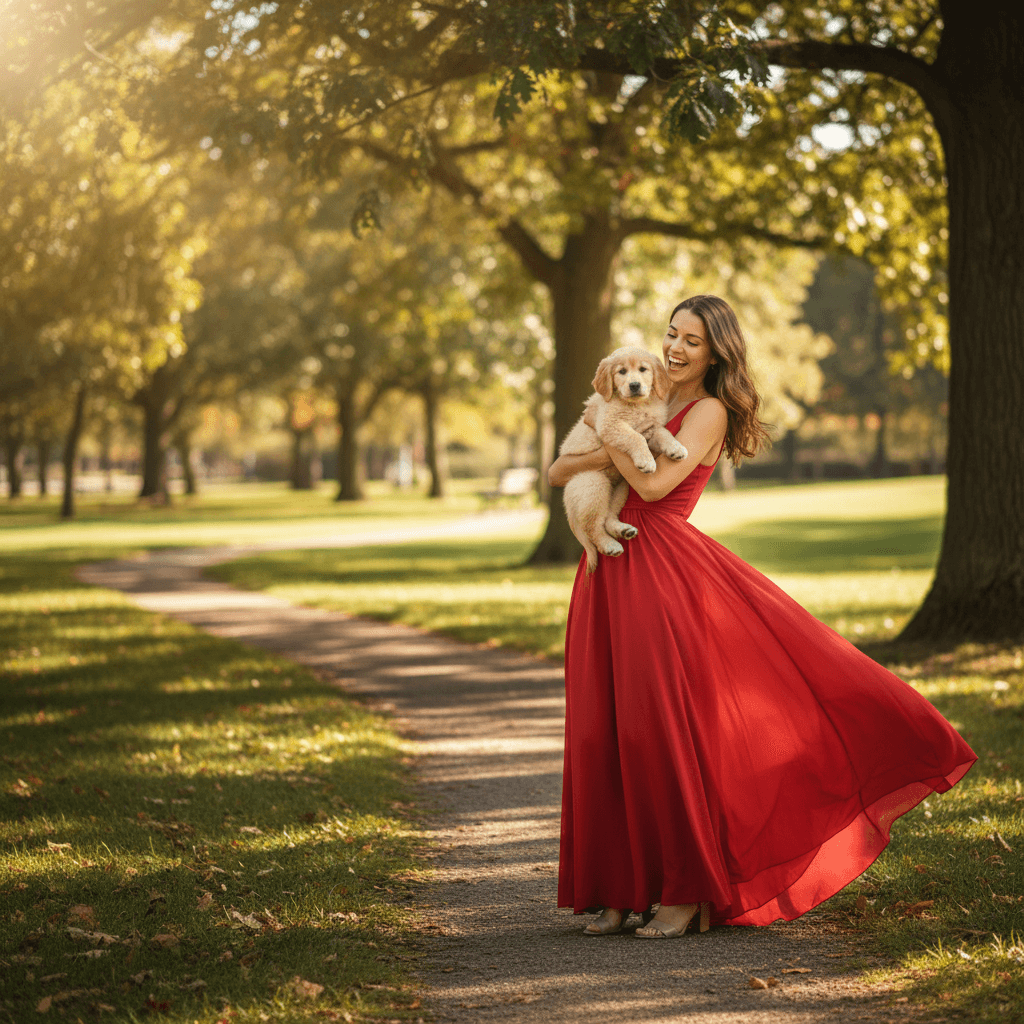
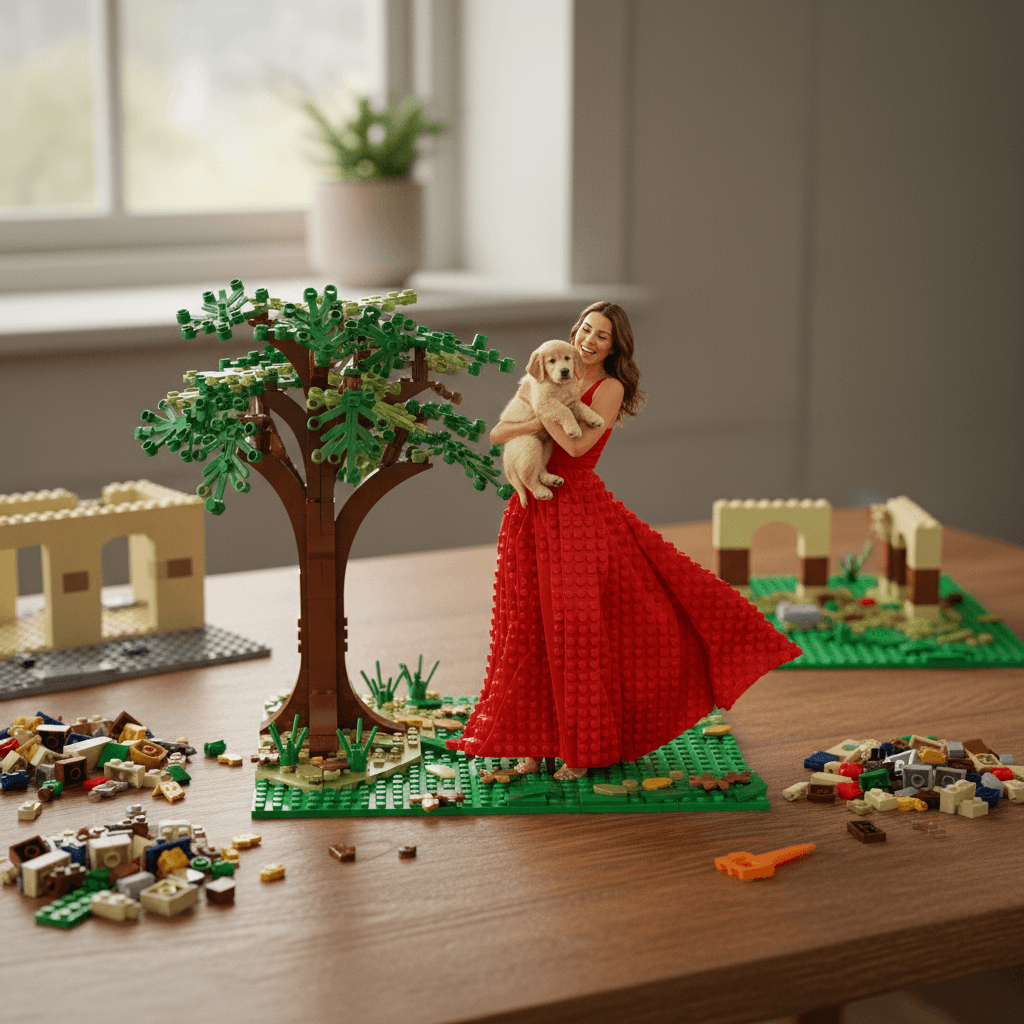
Bearbeiten Sie Bilder mit KI in 4 einfachen Schritten
Transformieren, verbessern und stylen Sie Ihre Bilder mit KI-gestützter Bearbeitung. Keine Designkenntnisse erforderlich.
Dein Bild hochladen
Lade das Bild hoch, das du bearbeiten mochtest. Unterstutzt JPG-, PNG- und WebP-Formate.
Deine Bearbeitung beschreiben
Sag der KI, welche Anderungen du mochtest. Zum Beispiel: "Olgemalde-Stil anwenden", "Qualitat verbessern" oder "Hintergrund durch Sonnenuntergang ersetzen".
Modell & Einstellungen wahlen
Wahle aus uber 20 KI-Modellen wie Midjourney oder GPT-4o Image. Passe Seitenverhaltnis und weitere Parameter an.
Generieren & Herunterladen
Klicke auf Generieren und warte 15-45 Sekunden. Dein bearbeitetes Bild steht dann zum Download bereit - mit vollen kommerziellen Nutzungsrechten.

Warum VEEMO AI Bildeditor wählen
- Bearbeite Bilder mit uber 20 KI-Modellen, darunter Midjourney, GPT-4o Image, Seedream 3 und Nano Banana Pro.
- Fuhre KI-Inpainting, Outpainting, Stiltransfer und Hintergrundentfernung mit einfachen Textanweisungen durch.
- Verbessere Bildqualitat, Belichtung und Color Grading auf professionelles Niveau mit KI-gestuzter Bildverbesserung.
- Schnelle Verarbeitung: Standard-KI-Bildbearbeitungen werden in 15-45 Sekunden abgeschlossen - ideal fur kreative Iteration.
- Der KI-Bildeditor fur Designer, Fotografen und Marketer, die professionelle Ergebnisse brauchen - alles in einem.
- Volle kommerzielle Nutzungsrechte an allen bearbeiteten Bildern fur Marketing, Design und Geschaftszwecke.
Entdecken Sie weitere KI-Bildtools
Markiere den Bereich, den du andern mochtest, indem du daruber malst, und beschreibe dann in normalem Text, was dort erscheinen soll. Die KI generiert nur den maskierten Bereich neu und fugt ihn nahtlos in die Umgebungspixel ein. Nutze Inpainting, um unerwunschte Objekte zu entfernen, Kleidung auszutauschen, Makel zu korrigieren oder neue Elemente in ein vorhandenes Foto einzufugen.
Ja. Die Outpainting-Funktion generiert neue Inhalte rund um die Rander deines Bildes und erweitert die Leinwand in jede Richtung. Beschreibe, was im erweiterten Bereich erscheinen soll, und die KI fullt ihn passend zu Belichtung, Perspektive und Farbpalette des Originals aus. Ideal, um Hochformatausschnitte in Querformat-Banner umzuwandeln oder engen Kompositionen mehr Raum zu geben.
Stiltransfer erhalt die Struktur, Komposition und das Motiv deines hochgeladenen Fotos und wendet dabei eine neue visuelle Gestaltung an. Das ursprungliche Layout bleibt erhalten, Farben, Texturen und Rendering-Stil andern sich jedoch. Bei der Neugenerierung entsteht eine vollig neue Komposition. Nutze Stiltransfer, wenn du eine bestimmte Szene behalten, aber asthetisch neu interpretieren mochtest.
Die KI-Verbesserungspipeline kann Scharfe verbessern, Details wiederherstellen und die effektive Auflosung erhohen. Die Ergebnisse hangen von der Ausgangsqualitat ab, aber Bilder mit mindestens 512 px wirken nach der Bearbeitung typischerweise sauber bei 2- bis 4-facher Originalgrosse. Fur beste Ergebnisse kombiniere das Hochskalieren mit der Qualitatsverbesserungsoption, um gleichzeitig Belichtung und Color Grading zu optimieren.
Der Editor unterstutzt JPG-, PNG- und WebP-Dateien bis zu 20 MB. Transparente PNGs behalten ihren Alphakanal bei Stiltransfer und Verbesserungsoperationen. Die Ausgabe erfolgt standardmassig im PNG-Format, um maximale Qualitat zu erhalten; JPG steht als Alternative mit kleinerer Dateigrosse zur Verfugung.
Erheblich. Midjourney wendet bei der Bearbeitung die starkste kunstlerische Stilisierung an. GPT-4o Image bewahrt Text und feine Details am zuverlassigsten. Seedream 3 liefert bei der Hautretusche und Portraitverbesserung die naturlichsten Ergebnisse. Nano Banana Pro verarbeitet Bearbeitungen am schnellsten. Probiere 2-3 Modelle an derselben Bearbeitung aus, um das beste Ergebnis fur deine spezifische Aufgabe zu finden.
Bereit, Ihre Ideen zum Leben zu erwecken?
Erstellen Sie mit uns beeindruckende Videos und Bilder auf einer einheitlichen Plattform.
Kein Konto-Wirrwarr, keine Komplexität – nur Ergebnisse.