Think of a text-to-video generator as a director in a box. You give it a script—a simple written description—and it turns those words into a video clip. There's no need for cameras, actors, or complicated editing software; the AI handles the heavy lifting, producing visuals instantly.
From Words on a Page to Worlds on a Screen
Imagine a film director who can read your mind and bring a script to life right before your eyes. That's essentially the magic behind a text-to-video generator. This technology is fundamentally changing how everyone, from big brands to solo creators, makes video content, putting professional-grade tools in anyone's hands.
Let's dig into why these tools are quickly becoming a staple in any modern creative's toolkit. Once you get a feel for what they can do, you'll see how you can create stunning content that used to require a Hollywood-sized budget. Platforms like Veemo AI simplify the whole process by giving you access to multiple world-class AI models all in one place.
The Rise of AI-Powered Video Creation
The demand for video that's fast, engaging, and doesn't break the bank has completely shaken up the creative industry. Businesses no longer have to assemble huge production teams or wait weeks to get high-quality marketing videos or social media posts. This shift has kicked off an explosion in the AI video market.
To put it in perspective, the global text-to-video AI market was valued at USD 323.7 million in 2023, a big leap from USD 256.5 million the year before. And it's not slowing down. Projections show it could hit an incredible USD 2,479.7 million by 2032, growing at a compound annual rate of 26.2%. This boom is all about the need for speed, especially in areas like marketing and e-commerce where strong visuals are everything. You can read more about this text-to-video market growth to see just how massive this trend is becoming.
Visualizing Ideas in Seconds
A text-to-video generator takes your abstract ideas and turns them into something you can actually see, bridging the gap between what's in your head and what appears on screen. Instead of spending hours storyboarding and filming, you just describe a scene and watch it come to life.
For example, this screenshot from the Veemo AI gallery showcases a bunch of different video styles generated from text prompts—everything from ultra-realistic nature scenes to quirky animations.
The real takeaway here is the incredible versatility. A single tool can pump out a huge range of visual styles. This lets you play around with different concepts without having to commit to a full-blown production, which is a massive advantage.
Think of it this way: A text-to-video generator is more than just a video-making tool. It's a rapid-prototyping engine for your ideas. You can test creative directions, visualize campaigns, and polish your story in a tiny fraction of the usual time.
This newfound accessibility is empowering a whole new generation of creators. It levels the playing field by offering benefits that used to be reserved for big studios:
- Speed: Go from a simple idea to a finished video in minutes, not weeks.
- Cost-Effectiveness: Say goodbye to massive expenses for equipment, locations, and talent.
- Creative Freedom: Experiment with countless visual styles and wild concepts without any real risk.
How AI Turns Your Words Into Video
Ever wonder what actually happens when you type a sentence and get a video back? It's not magic, but it's close. Think of it like you're a movie director giving instructions to a hyper-intelligent, incredibly fast animation team. You don't tell them which pixels to color; you just give them the script—your prompt.
The AI takes on the role of your entire production crew. It reads your script, storyboards the scene in its "mind," and then renders it all in a matter of seconds. Behind the scenes, a sophisticated pipeline of AI models works in concert to turn your abstract idea into a moving, visual reality.
This chart breaks down the basic workflow. Your text goes in one end, the AI engine does its thing in the middle, and a finished video file comes out the other.
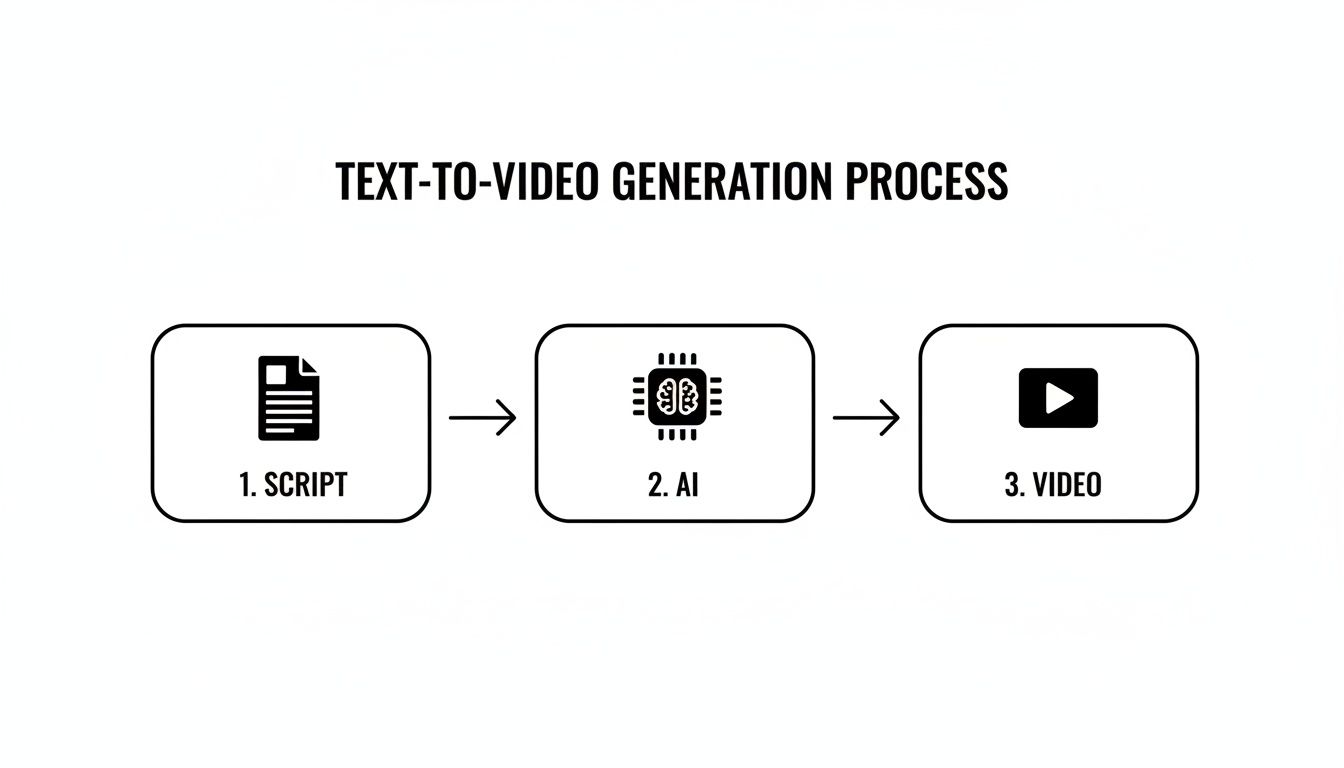
It’s a simple concept on the surface, but the AI is the powerhouse doing all the heavy lifting, translating your creative vision into something you can actually watch.
The Brains of the Operation: Transformers and Diffusion Models
Deep down, this technology relies on two main types of AI models that split the work. First up are transformer models, which you can think of as the AI's language and comprehension expert. These models have been trained on an incredible amount of text and images, so they’re masters at understanding context, nuance, and how different ideas relate to one another.
When you type a prompt like, "a golden retriever catching a red frisbee in a sunny park," the transformer doesn't just see a list of words. It gets the whole picture: the action of the catch, the relationship between the dog and the frisbee, and the vibe of a sunny park. It then boils all that understanding down into a rich mathematical code called an embedding.
This embedding is then handed off to a diffusion model—the system’s visual artist. The process here is fascinating. It starts with a screen full of what looks like random digital static or noise. Then, using the embedding as its guide, the model carefully refines that noise, step-by-step.
Think of it like a sculptor who starts with a rough block of marble (the noise) but has a crystal-clear vision of the statue inside (the embedding). The AI methodically chips away at the randomness, gradually revealing the image until the final, clear video frames emerge.
This is how the AI builds a coherent scene from scratch, making sure the final video matches what you described in your prompt.
How Different AI Models Bring Their Own Style
Not all text-to-video generators are built the same. Every major model—like OpenAI's Sora, Google's Veo, or Kuaishou's Kling—is trained on unique datasets and fine-tuned differently. As a result, each one has its own distinct creative "fingerprint."
- Sora has made a name for itself by creating longer, more narratively consistent videos. It has a surprisingly good grasp of physics and can create some truly cinematic scenes.
- Veo is a powerhouse for realism. It’s excellent at capturing fine details and specific visual styles you ask for in the prompt, making it a go-to for high-fidelity video.
- Kling has shown off some incredible skills in simulating complex physical interactions and generating very high-resolution video, especially with dynamic human motion.
This is where platforms like Veemo AI come in handy. Instead of locking you into one style, they give you access to multiple models under one roof. This lets you pick the right "artist" for the job. Need a photorealistic product shot? A model like Veo might be perfect. Dreaming up a fantastical, story-driven animation? Sora could be your best bet.
Getting the Shot: Motion and Cinematic Control
Creating a single, static image is one challenge. Making it move realistically is another entirely. A text-to-video generator learns motion by analyzing a mind-boggling amount of video footage. It studies how people walk, how cars drive, how light reflects off a ripple in the water, and how a camera pans, tilts, or zooms.
This deep training is what allows the AI to simulate believable physics and even apply classic cinematic techniques. When you add terms like "drone shot," "dolly zoom," or "slow motion" to your prompt, the transformer model recognizes these as camera directions. The diffusion model then generates the frames in a sequence that perfectly mimics that camera movement. It's an incredible level of creative control, essentially letting you direct a virtual cinematographer with just your words.
Mastering the Art of Prompt Engineering
The real secret between a bland, forgettable clip and something truly cinematic? It all comes down to the prompt. Think of a text-to-video generator as a brilliant artist who takes everything you say literally. If you're vague, you'll get a vague result. But if you give it rich, descriptive instructions, you graduate from just being a user to being a creator.
Your prompt is essentially the creative brief for the AI. Sure, "a cat on a roof" might give you a clip of a cat on a roof, but it leaves nearly everything up to the machine's imagination. Is it day or night? Is the cat a fluffy Persian or a sleek Siamese? Is it hunting or just napping in the sun? Good prompt engineering is all about answering those questions upfront, so the AI doesn't have to guess.
This is how you turn a simple idea into a detailed set of instructions the AI can actually work with, giving you real creative control.
The Anatomy of a Perfect Prompt
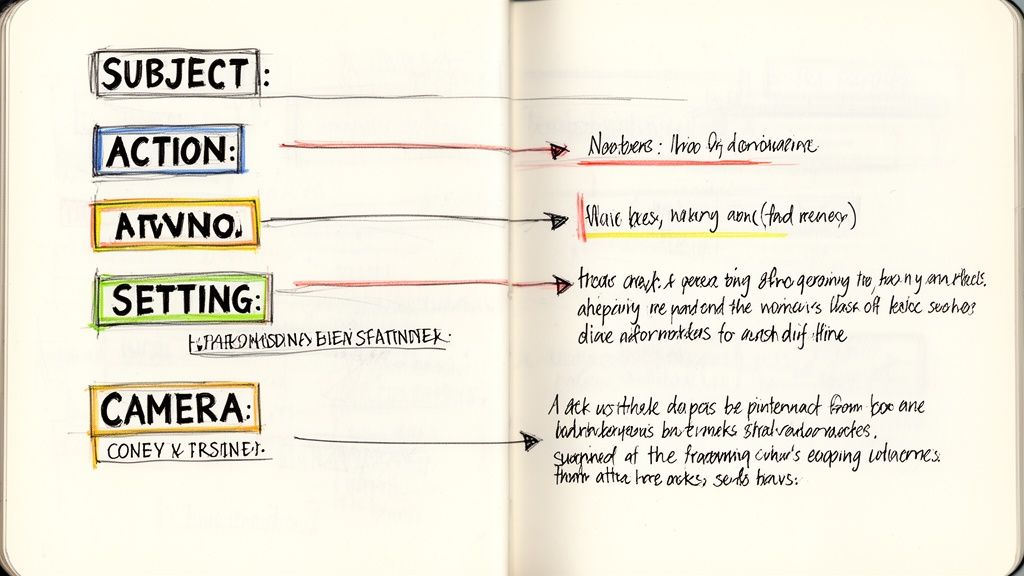
A really powerful prompt is built from a few key ingredients that, when combined, paint a complete picture for the AI. Getting these elements right is the first big step toward getting the exact video you have in your head. Each piece adds another layer of detail, guiding the generator to a much more specific and polished outcome.
Let's break down the essential building blocks:
- Subject and Action: Be crystal clear about who or what is the star of your scene and what they're doing. Specificity is your best friend here. Don't just say "a car driving." Instead, try "a vintage red convertible speeding down a coastal highway."
- Setting and Environment: This is where you build the world. Describe the location and the overall vibe. Is it a "sun-drenched tropical beach at sunset" or a "gloomy, rain-soaked city street at midnight"? These details completely change the mood.
- Artistic Style and Medium: You need to tell the AI what you want the final video to look like. Are you going for a "photorealistic, cinematic 8k" shot, or something more stylized like "Japanese anime style" or even "quirky claymation"?
- Lighting and Color Palette: This is how you control the emotional tone. Use phrases like "soft, hazy morning light," "dramatic, pulsing neon lighting," or "a warm, golden hour glow" to set the right mood.
When you weave these elements together, you're not just giving a command; you're building a comprehensive instruction set. It’s this structured approach that helps the AI understand not just what’s in the scene, but the artistic and emotional feeling you’re trying to create.
A great prompt isn't just a description; it's a recipe. You provide the ingredients (subject, action, setting) and the cooking instructions (style, lighting, camera angle), and the AI bakes it into a visual feast.
Controlling the Virtual Camera
Okay, so you've described the scene. Now it's time to play director. Modern text-to-video generators understand cinematic language, which means you can control camera angles, shot types, and movement just like you would on a real film set. This is where you can really elevate your work from a simple clip to a piece of compelling visual storytelling.
Try mixing in some of these camera commands to add a dynamic, professional feel:
- Shot Types: Use standard terms like close-up shot, medium shot, or wide shot to set your framing.
- Camera Angles: Get specific about the perspective with commands like low-angle shot, high-angle shot, or drone shot from above.
- Camera Movement: Inject some energy with phrases like slow pan right, dolly zoom in, or handheld tracking shot.
Suddenly, a basic prompt like "a woman walking in a forest" becomes something much more engaging: "Drone shot from above, following a woman in a red coat as she walks through a dense, misty pine forest in late autumn." See the difference?
Prompt Crafting for Different Video Styles
How you structure your prompt directly impacts the style of the video you get. A few tweaks to your language can take you from a corporate-style stock video to a dramatic, film-like scene.
Here's a quick comparison of how to build prompts for different goals:
| Video Goal | Basic Prompt Example | Advanced Prompt Example (with annotations) |
|---|---|---|
| Cinematic Drama | A man looking out a window at the rain. | Close-up shot of a middle-aged man with a worried expression, looking out a rain-streaked window at a dark, neon-lit city street. Cinematic lighting, moody, photorealistic, 4K. (Camera, emotion, and lighting cues create drama.) |
| Corporate B-Roll | People working in an office. | Bright, modern office setting, a diverse team collaborating around a whiteboard, natural lighting, clean aesthetic, slow pan shot. (Focus on a clean, professional look and collaborative action.) |
| Animated Explainer | A lightbulb icon with ideas. | A stylized 2D animation of a glowing lightbulb, with colorful gears turning inside. Flat design, simple background, minimalist, upbeat. (Specifies animation style and a simple, clear visual.) |
| Social Media Ad | A person using a smartphone. | Vibrant, eye-catching shot of a young woman laughing while scrolling on her smartphone, sitting in a trendy cafe. Dynamic, fast-paced cuts, saturated colors. (Keywords focus on energy and visual appeal for short-form content.) |
As you can see, the advanced prompts aren't just longer—they're more intentional. They use specific keywords to guide the AI toward a very particular look and feel.
The Power of Negative Prompts
Sometimes, telling the AI what you don't want is just as important as telling it what you do. This is where negative prompts come into play. They are your secret weapon for pushing the generator away from common mistakes, unwanted artifacts, or clashing styles, giving you another layer of fine-tuned control.
If your generations keep coming out with blurry backgrounds, strange-looking hands on your characters, or a cartoonish feel when you’re aiming for realism, a negative prompt is how you fix it. You can literally create a list of things for the AI to avoid.
Here are a few common ways to use negative prompts:
- Removing Artifacts:
blurry, grainy, low quality, watermark, text - Refining Style:
cartoon, anime, 3d render, unrealistic, painting - Excluding Content:
people in background, modern cars, clouds
Using negative prompts is a proactive way to troubleshoot your generations before they even finish. It helps you get much closer to your vision and is an essential skill for anyone who's serious about getting high-quality results from a text-to-video generator.
Your First Project Using Veemo AI
Okay, enough with the theory. The best way to really get what these text-to-video tools can do is to just jump in and make something. Let's walk through your first project from start to finish using Veemo AI.
We'll tackle a classic business need: creating a short, slick video ad for an e-commerce brand that's launching a new high-end wristwatch. The goal is a captivating clip that’s perfect for a social media campaign, showing off the product in a luxurious light.
Step 1: Crafting the Initial Prompt
Everything hinges on the prompt. This is where you go from a vague idea to a concrete set of instructions for the AI. Instead of just saying "a watch on a table," we're going to paint a much richer picture to get the quality and elegance we're after.
Our mission is to create a stunning product shot. We'll do this by combining a clear subject, a specific action, a detailed setting, and some cinematic direction.
Here’s the kind of detailed prompt we can start with:
Prompt: "Macro shot of a sleek, silver chronograph watch with a black leather strap, resting on a polished dark mahogany table. Soft, warm light from a nearby window illuminates the intricate details of the watch face. The second hand sweeps smoothly. Cinematic, photorealistic, 8K, shallow depth of field."
See the difference? We’ve given the AI specific details on the subject (watch type, color), setting (mahogany table), lighting (soft, warm), action (the sweeping second hand), and the overall style (cinematic, photorealistic). This level of detail is what separates a generic clip from a high-quality result.
Step 2: Navigating the Veemo AI Studio
With our prompt in hand, it’s time to head over to the Veemo AI studio. The interface is clean and simple, designed to get you from text to video without needing a degree in film production.
This is the main dashboard you'll see. The prompt box is front and center, with all the key settings right below it.
You just paste your prompt in, tweak a few settings, and you're good to go. Everything you need to control the process is right there on one screen.
Step 3: Selecting Your Generation Settings
Once your prompt is in, you’ll need to dial in the settings for your project. Veemo AI gives you a few powerful knobs to turn that directly impact the final video.
- Choose Your AI Model: Veemo AI lets you pick from several top-tier models. For a photorealistic shot like our watch video, you'd want to select a model known for its high-fidelity output, something akin to Google's Veo.
- Set the Aspect Ratio: We're aiming this for social media, so a vertical 9:16 aspect ratio is the way to go. It’s perfect for Instagram Stories, TikTok, and YouTube Shorts, ensuring the video fills the entire screen on a phone.
- Define Duration and Resolution: For a quick, eye-catching ad, a duration of 5-7 seconds is all you need. We’ll go with a 1080p resolution to get a crisp, high-quality image without making the generation time painfully long.
It’s all about trade-offs. Bumping up the resolution or duration will mean a longer wait time. If you're just trying out ideas, you might start with 720p to get faster results.
One of the biggest wins for businesses using a text to video generator like Veemo AI is getting access to the same kind of powerful tech that giant corporations use for content creation. In fact, large enterprises were the earliest adopters, accounting for over 65% of the market revenue back in 2022. This kind of tech allows brands to create compelling product demos that have been shown to boost conversions by 20-30%. You can learn more about text-to-video AI market trends to see just how much this is reshaping modern marketing.
Step 4: Generating and Refining Your Video
Once you’ve locked in your settings, just hit "Generate." Veemo AI gets to work, processing your prompt and building the video. It might take a few minutes, depending on how complex your request was. The platform gives you an ETA, so you’re not left guessing.
When it's done, you’ll have your first cut. Often, this first attempt is surprisingly good, but you might want to make a few tweaks. You can either go back and refine your prompt for a new version or use Veemo AI’s built-in editor for some final polishing.
Let's imagine for our watch video, we want to add a simple text overlay with the brand name.
- Open the Editor: Just click the "Edit" button on your generated video.
- Add Text: Use the text tool to place "Aura Watches" in an elegant font near the bottom.
- Trim the Clip: If the timing isn't quite right, you can easily trim a second off the beginning or end.
- Export: When you're happy with it, export the final video.
This seamless flow—from an idea to a prompt, to a generated clip, to a final edit—is what makes tools like Veemo AI so powerful. You can go from a thought to a polished, professional video ad in a surprisingly short amount of time, ready to be pushed out to all your marketing channels.
Real-World Applications and Strategic Benefits
It’s one thing to understand the tech, but it’s another thing entirely to see how a text to video generator can give you a real, tangible edge. This isn't just a fun novelty. It's a serious tool that opens up professional-grade video production to practically everyone, completely rewriting the rules of content creation. The benefits are already being felt across industries, helping teams work faster, test more ideas, and connect with audiences in ways that used to be impossible.
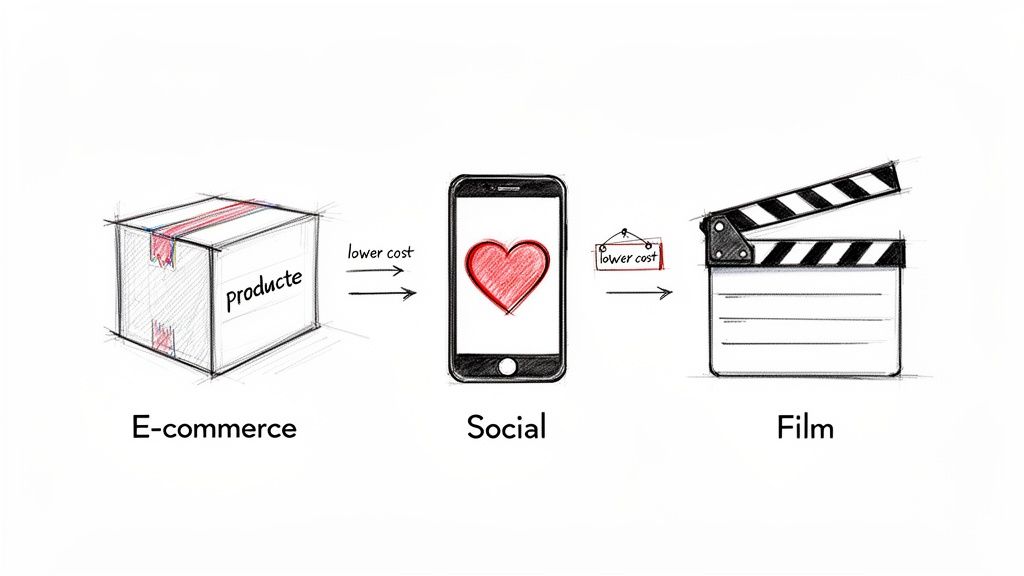
The most obvious win right out of the gate is the massive savings in time and money. The whole reason there's so much buzz around this technology is the incredible efficiency it offers. Switching from traditional production to text-to-video can cut costs by as much as 90%. That’s a total game-changer, especially for startups and small businesses that need promotional content but don't have a Hollywood budget.
We're already seeing major players like Apple and Meta using AI to build their ad campaigns, and on e-commerce sites like Shopify, AI-generated videos have been shown to boost engagement by a staggering 300%. If you want to dive deeper, you can discover more about the AI video generator market and see just how big this shift is.
Transforming E-Commerce and Marketing
If you're running an e-commerce brand, you know the constant struggle: showcasing your products in a compelling way without breaking the bank. A text to video generator lets you create dynamic product demos, lifestyle ads, and 360-degree showcases from nothing more than a few lines of text.
Think about it. You're launching a new line of sneakers. In minutes, you could generate a dozen different video ads showing them in various scenes—a runner hitting a trail, a close-up on the detailed stitching, a stylish shot in a city—all without ever booking a single photoshoot.
This speed unlocks a marketer's dream: rapid, risk-free A/B testing for creative ideas.
- Test different visuals: Generate clips with different color palettes, backgrounds, or even actor demographics to see what your audience responds to.
- Hone your message: A/B test different calls to action or taglines by creating multiple video variations in just a few clicks.
- Jump on trends: Instantly create content that taps into a trending social media format without waiting weeks for a production crew to catch up.
This technology levels the playing field. A small Shopify store can now produce video content with the same variety and polish as a major retail corporation, all from a single platform like Veemo AI.
Fueling Social Media and Content Creation
Social media managers are under constant pressure to feed the algorithm with a non-stop stream of fresh video. A text to video generator is like having an inexhaustible creative partner on your team, ready to pump out viral-style clips, animated infographics, and short-form stories whenever you need them. The workflow shifts from slow, manual labor to automated, high-volume creation.
Instead of dedicating an entire day to shooting and editing a single video, a content creator can generate a whole week's worth of posts in less than an hour. This frees them up to focus on the things that really matter—strategy, community engagement, and analyzing what's working—instead of getting lost in the weeds of video editing.
Empowering Filmmakers and Creative Studios
The potential goes far beyond marketing. In the film and animation worlds, this technology is finding a powerful role in pre-visualization. Directors and VFX artists can use a text to video generator to create rough drafts of scenes, helping them map out camera angles, lighting, and how characters will move.
This lets them experiment with complex sequences—like a massive action scene or a scene with a fantastical creature—before committing a huge amount of time and money to a live-action shoot or detailed CGI. It’s essentially storyboarding on steroids, bringing the script to life and getting the entire creative team on the same page long before the cameras start rolling.
So, you're making incredible videos with AI. That's the fun part. But the moment you decide to use one of those videos for your business, you step into a whole new world of legal questions. It's a bit of a wild west out there with AI-generated content, so getting a handle on commercial use and copyright isn't just smart—it's essential for protecting your work and your brand.
The key to all of this lies in the fine print: the license agreement of the AI tool you're using. You can't just assume you can use everything you create for any purpose. You've got to check.
Personal vs. Commercial Use: What's the Difference?
This is the most important line in the sand. A personal use license is for your own enjoyment. Think of it as creating a video for a school project, a family event, or just to share with friends on your personal social media. You can't use it to make money, period.
For any business-related activity, you absolutely need a commercial use license. This is your green light to use the video in marketing campaigns, on your website, in paid ads, or anywhere else that helps your business grow. For anyone serious about using this technology for their brand, choosing a platform like Veemo AI, which explicitly includes commercial rights in its paid plans, is a must.
Before you hit "publish" on any AI video for your brand, ask yourself one simple question: "Does my subscription grant me a commercial license?" If you can't find a clear "yes," you're gambling with your business.
Who Actually Owns the Copyright?
This is where things get a little murky and are still being figured out legally. Traditionally, copyright protects works made by humans. Since an AI isn't a person, content generated entirely by an AI might not even qualify for copyright protection in some countries.
What really matters for you, though, is what the AI platform's terms of service say. They are the ones who set the rules for the content created on their system. This is another huge reason why picking a tool with transparent, business-friendly policies is so critical.
Here’s how it usually shakes out:
- You get full rights: This is the best-case scenario, usually reserved for higher-tier commercial plans. The platform transfers all ownership rights to you.
- You get a broad license: This is more common. The platform gives you a wide-ranging, royalty-free license to use the video however you want, including for commercial purposes.
- The platform keeps some rights: Some services, especially free ones, might hold onto significant rights, which could really limit how and where you can use the videos you create.
When it comes down to it, your best defense is to actually read the terms. A good, reliable platform will make it crystal clear that you have the rights to use your creations for your business. That clarity is what lets you go from experimenting with a cool new tool to confidently building it into your marketing strategy.
Answering Your Top Questions About Text-to-Video AI
Once you start playing around with AI video, you’ll naturally run into some practical questions. Getting a feel for what a text-to-video generator can actually do is the key to making the most of it. Let's break down some of the most common things creators ask.
How Long Does It Take to Generate a Video from Text?
The honest answer? It depends. The biggest factors are the complexity of your prompt, the AI model doing the work, and the length and resolution of your final video.
A simple, 5-second clip at a standard resolution might pop out in just a minute or two. On the other hand, if you're asking for a detailed, 20-second cinematic scene in stunning 4K, you’ll need to give it more time. Tools like Veemo AI are optimized for speed and usually give you an estimate, so you can decide if the wait is worth the quality boost. The real win here is collapsing what used to be a full day of shooting into a task that's over in minutes.
Can I Keep My Characters and Style Consistent?
Absolutely, and this is where things get really interesting. Consistency is one of the areas where AI video tools are making huge leaps.
You can lock in a specific visual style by being consistent with your descriptive keywords. Think phrases like "cinematic, vintage 1980s film look, grainy texture." If you feed the AI those same style cues every time, it learns your aesthetic.
For characters, many of the newer models let you upload a reference image or point to a previous clip to keep your subject looking the same. This is a game-changer for anyone creating a social media series with a recurring brand mascot or character.
Think of consistency as teaching the AI your unique visual language. The more specific and repeated your stylistic instructions are, the better the AI becomes at speaking it back to you in its generations.
What Are the Current Limitations I Should Know About?
AI video is moving incredibly fast, but it's not perfect... yet. There are still a few hurdles.
AI can sometimes struggle with rendering highly complex motion, subtle human emotions, and notoriously tricky details like hands. You might also notice the physics in a scene feel just a little off now and then.
The good news is that the models are improving daily. Platforms like Veemo AI get around this by giving you a whole suite of different models to choose from, letting you match the right tool to the job. Often, just running your prompt a few times is all it takes to land on a version that sidesteps these minor quirks.
Ready to turn your ideas into stunning videos in minutes? With Veemo AI, you get access to over 20 of the world's best AI models in one simple studio. Start creating your first professional video today at https://veemo.ai.
Generated with the Outrank tool