So, you want to create a product video that actually sells? It's not as complicated as it sounds. The whole process really boils down to four main stages: nailing down your concept and script, using AI to generate the visuals, editing it all together with the right music and text, and finally, tweaking the video for the platforms where your customers hang out. Get these steps right, and you’ll turn a simple idea into a serious sales driver.
Why Product Videos Are a Must-Have for E-commerce Growth
Let's be honest, in the endless scroll of online shopping, a static product picture just doesn't cut it anymore. If you want to grab someone's attention and earn their trust, you need video. It’s become a non-negotiable for any e-commerce brand that's serious about growth.
Think of it this way: a video acts as a bridge between your digital shop and the real-world experience of holding a product. It’s your chance to show off what makes your product special in a way that a few photos never could. A picture shows what something looks like, but a video shows how it works, how it feels, and how it will actually fit into a customer’s life. That’s where you build a real connection.
If you’re still on the fence, the numbers speak for themselves. Product videos have a direct and measurable impact on the metrics that matter most.
Video Content Impact At a Glance
| Statistic | Impact on Business |
|---|---|
| 88% of people bought a product after watching a video. | Videos directly influence purchasing decisions and drive sales. |
| Videos can boost conversions by over 80%. | A video on your landing page can significantly increase sign-ups and sales. |
| Viewers retain 95% of a message from a video. | Compared to just 10% when reading text, video makes your brand memorable. |
| Over 70% of shoppers prefer video to learn about a product. | You're meeting customer expectations and providing a better user experience. |
These statistics paint a clear picture: integrating video isn't just a "nice-to-have"; it's a core component of a modern, successful online business strategy.
Moving Beyond Static Showcases
Videos give your products a personality and a presence. They showcase the little details that build a customer's confidence and squash any of that pre-purchase anxiety.
Here’s what you can demonstrate far more effectively with video:
- Scale and Dimension: Show someone actually carrying that handbag or placing that vase on a shelf. It gives a much better sense of its true size than a photo on a stark white background ever could.
- Texture and Material: Imagine a slow, panning shot that highlights the detailed stitching on a leather wallet or the smooth, polished grain of a wooden table. You're communicating quality and craftsmanship in a way a flat image simply can't.
- Functionality in Action: Is your product a bit complex? Unfold it, switch it on, show every feature in motion. This kind of clarity is what turns a hesitant browser into a confident buyer.
Overcoming Traditional Production Hurdles
Not too long ago, making a high-quality product video was a massive headache. It meant shelling out for expensive gear, renting locations, hiring models, and then dealing with a complicated editing process. For most brands, it was just too slow and costly to even consider.
Thankfully, that’s all changed. The arrival of powerful AI tools, like those you’ll find in the Veemo AI studio, has completely leveled the playing field. Now, any brand, regardless of size, can create professional, cinematic-quality videos without the logistical nightmares or eye-watering costs. Think of AI as your personal, in-house production crew, ready to turn simple text prompts into stunning visuals.
This shift means your ability to create great video is no longer limited by your budget, but by your creativity. And the demand is definitely there. By 2026, a massive 84% of consumers say they want to see more videos from brands. If you want to dive deeper into the data, check out Wyzowl's comprehensive video marketing report. This isn’t some passing trend; it's a fundamental change in how people shop online.
Building Your Product Video Blueprint
A great product video doesn't just happen. It's built on a solid foundation, and that foundation is your strategy. Before you even dream of generating a single visual, you need a clear blueprint. I've seen too many brands jump straight into production, and the result is always the same: a video that looks nice but completely misses the mark.
It all boils down to one critical question: what is the primary goal of this video? Trying to cram everything in—driving sales, building brand awareness, and explaining a complex feature—just muddies the water and confuses your audience. Pick one lane.
Define Your Video’s Core Purpose
Are you trying to get someone to click "Add to Cart" right now? Or is this more about building trust with people who've just discovered your brand on social media? Your goal dictates everything that follows, from the tone of the script to the final call-to-action.
Here are a few common goals I see work well:
- Drive Direct Sales: This is your classic product page video. Its only job is to get a viewer to buy. It’s all about showcasing benefits and squashing any last-minute doubts.
- Clarify a Complex Feature: If your product isn't self-explanatory, a quick "how-to" can be a lifesaver. It shows the value in action and can seriously cut down on customer support tickets.
- Build Brand Affinity: Sometimes, it’s not about the immediate sale. These videos tell a story or highlight your company's values, creating a positive vibe that sticks with people.
- Generate Leads: For bigger-ticket items, the goal might be getting a viewer to book a demo or download a guide. You're moving them deeper into your world.
Once you’ve locked in your goal, it’s time to get inside your customer's head.
Understand Your Audience’s Pain Points
A video that truly connects is one that speaks directly to a viewer's problems and desires. Don't just list features; show how those features solve real-world frustrations. For instance, instead of saying your backpack has "water-resistant zippers," show it protecting a laptop during a surprise rainstorm. You've just turned a boring spec into a relatable benefit.
A truly effective product video doesn’t just show what your product does. It shows your customer who they can become with your product. It sells the outcome, not just the object.
To nail this, you have to know who you're talking to. What are their biggest headaches? What words do they use to describe their problems? Find those answers, and you can craft a message that feels like you're reading their mind.
Scripting for Attention and Action
With a clear goal and a deep understanding of your audience, you're ready to write. Forget the long, cinematic intros. In a world of endless scrolling, you have about three seconds to grab someone's attention.
A simple framework that just plain works is the Hook, Problem, Solution, CTA model.
- The Hook (0-3 seconds): Hit them with a visually stunning shot, a challenging question, or a problem they know all too well. This is your one shot to stop their thumb.
- The Problem (3-10 seconds): Quickly and clearly state the pain point. You want them nodding along, thinking, "Yep, that's me."
- The Solution (10-25 seconds): Here's where your product swoops in as the hero. Show it solving the problem you just laid out. Make it look easy.
- The CTA (25-30 seconds): Tell them exactly what to do next. "Shop Now," "Learn More," "Get Yours Today." Don't be shy about it.
This structure keeps your video tight, focused, and moving toward that one goal you set earlier. As the data shows, moving from static images to dynamic video is what separates brands that get noticed from those that get scrolled past.
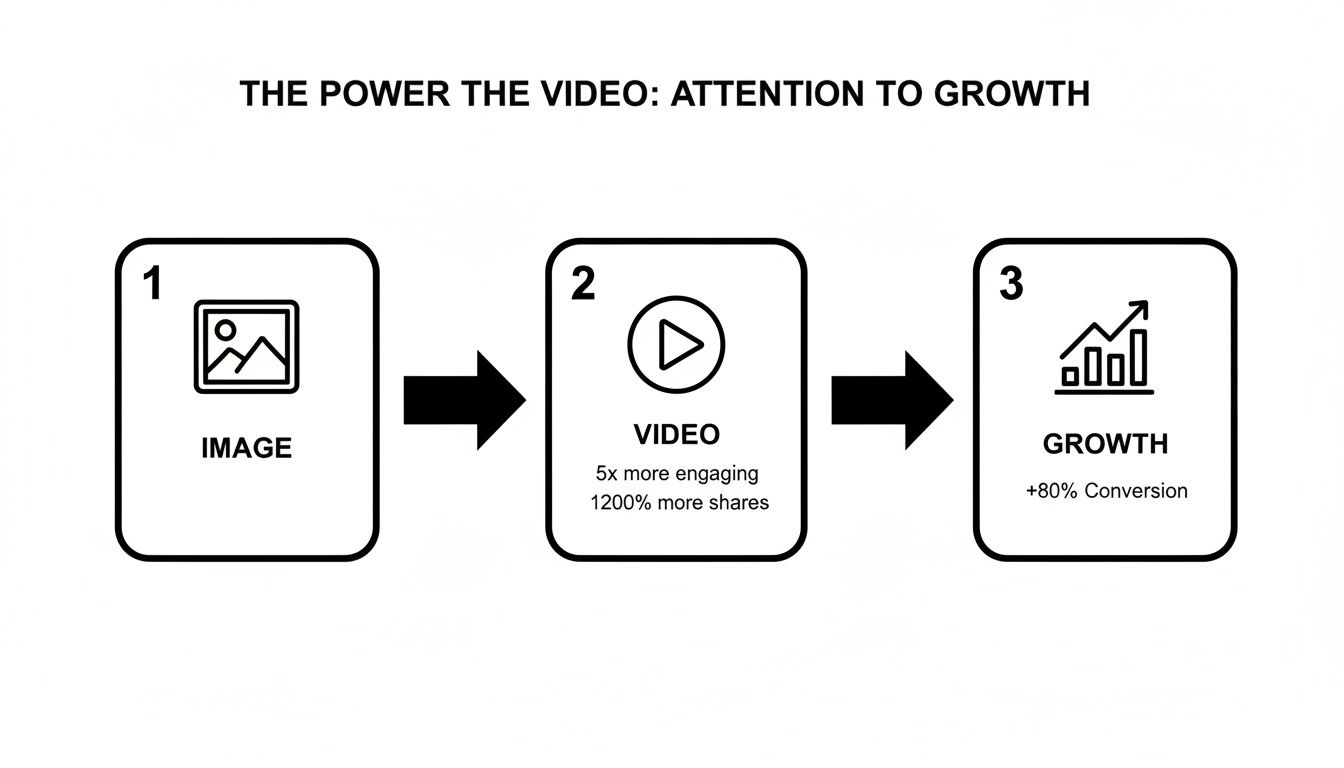
The takeaway here is simple: video isn’t just a small step up from images. It's a massive leap in engagement and has the power to seriously boost conversions, with some studies showing an 80% or more lift.
Choosing the Right Length and Format
Finally, you have to package your video for the platform where it will live. A 90-second deep dive that's perfect for your website will get completely ignored on TikTok. You have to play by the rules of each platform.
Here’s a quick cheat sheet I use:
| Platform | Ideal Length | Aspect Ratio | Key Consideration |
|---|---|---|---|
| Instagram/TikTok Reels | 15-45 seconds | 9:16 (Vertical) | Needs a super-fast hook. Always design it to work with the sound off. |
| Product Page (Website) | 60-90 seconds | 16:9 (Horizontal) | Go deeper on benefits. The goal here is to build confidence for the purchase. |
| YouTube (In-Stream Ad) | 15-30 seconds | 16:9 (Horizontal) | The first 5 seconds are everything. Focus on one single, powerful message. |
Matching your video's specs to the platform isn't just a technical detail; it's a strategic move that ensures it feels native and performs at its best. This entire blueprint—goal, audience, script, and format—is the non-negotiable first step. It's how you create product videos that don’t just get views, but get results.
Mastering AI Prompts for Stunning Product Visuals
Once your strategy is set, it's time to get creative and translate that vision into actual visuals using AI. This is where you shift from marketer to director, and your main tool is the text prompt. Forget simple, one-line commands. The real magic in creating incredible product videos comes from mastering the art of the detailed, descriptive prompt.
Think of an AI model as a supremely talented but very literal creative partner. If you just say, "Show a watch," you'll get a watch—probably generic, uninspired, and completely forgettable. But when you guide it with precision and rich detail, you can control nearly every pixel of the final output.
From Simple Commands to Cinematic Control
The best approach is to build your prompts in layers. A powerful prompt doesn't just describe the product; it constructs the entire world around it. It should act as your shot list, lighting guide, and mood board all rolled into one.
Let’s break down the key elements that transform a basic idea into a professional-grade shot.
- Subject and Action: Always start with the star of the show—your product. What is it doing? Be specific. Instead of "a shoe," try something like, "a white leather sneaker, its laces tying themselves in a fluid, magical motion."
- Environment and Setting: Where is your product? The background is what sets the tone. "Against a plain background" is a missed opportunity. "On a wet asphalt street at night, reflecting vibrant neon city lights" immediately tells a story.
- Lighting: This is absolutely crucial for mood. Is it "soft, morning sunlight streaming through a window," or "dramatic, high-contrast studio lighting casting deep shadows"? The right light can make a product feel luxurious, rugged, or futuristic.
- Camera and Shot Type: Think like a cinematographer. How is the scene being filmed? Specify the angle and distance. "Close-up shot," "dynamic orbiting shot from a low angle," or "macro shot focusing on the texture of the fabric" gives the AI precise directorial instructions.
- Style and Mood: Finally, define the overall aesthetic. Using terms like "hyper-realistic," "cinematic 4K," "vintage film look," or "dreamy, ethereal glow" helps guide the AI's artistic interpretation and ensures the output matches your brand's vibe.
Prompting in Action: Before-and-After Examples
Seeing the difference is the best way to grasp the power of a well-crafted prompt. Here are a few real-world examples that show how adding layers of detail can completely transform the final result.
Tech Product: A Smartwatch
- Before:
A smartwatch on a wrist. - After:
A sleek minimalist smartwatch with a graphite finish, close-up shot. The watch face illuminates with a vibrant data visualization. The background is a dark, textured concrete wall with soft, dramatic side lighting creating a premium, modern mood. 4K, hyper-realistic.
The "after" prompt doesn't just show a product; it sells an identity. The details about the finish, lighting, and background create a sense of sophistication and cutting-edge tech.
Beauty Product: A Face Serum
- Before:
A bottle of face serum. - After:
A luxurious glass dropper bottle of shimmering golden face serum. A single, perfect drop falls in slow motion. The background is a clean, white marble surface with a delicate orchid. Soft, natural morning light, macro shot, bright and airy.
This prompt transforms a simple bottle into a high-end experience. Words like "shimmering," "slow motion," and "delicate orchid" evoke feelings of purity, quality, and self-care.
Fashion Product: A Leather Handbag
- Before:
A woman holding a leather handbag. - After:
A brown Italian leather handbag held by a woman in a stylish trench coat, walking through a rain-slicked Parisian street at dusk. The city lights blur beautifully in the background (bokeh effect). Cinematic, moody, fashion editorial style.
Here, the product is dropped directly into an aspirational lifestyle. The prompt creates a story and a feeling that customers connect with, making the handbag far more than just an accessory.
Animating Static Images and Creating 360 Spins
Your existing product photos can also become powerful video content. AI tools, like those found in the Veemo AI studio, aren't just for generating from scratch; they can breathe new life into what you already have.
Sometimes, the best workflow starts with a simple sketch to map out your ideas before you even touch the AI generator.
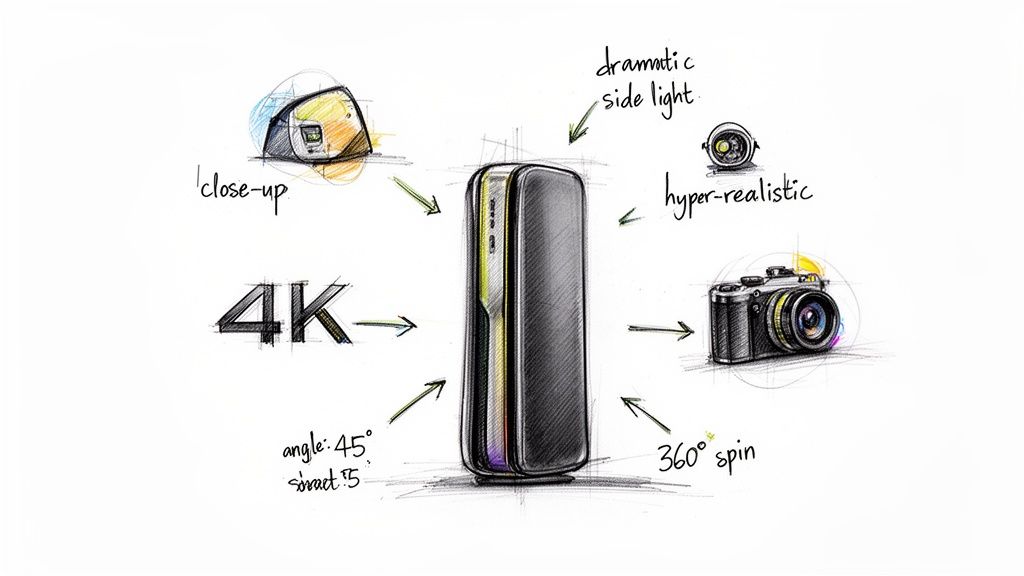
This kind of initial concept sketch acts as a visual guide, helping you nail down specific details—like camera angles and motion—that you will later describe in your text prompt.
The most effective AI prompts are built, not just written. Start with your core subject, then layer on details about its action, environment, and the camera's perspective. Each layer you add refines the output and brings it closer to your creative vision.
This technique, which I call prompt layering, lets you maintain creative control while the AI handles the heavy technical lifting. You can also generate seamless 360-degree product spins from a single product image, giving customers a comprehensive view that used to be incredibly complex and expensive to produce. It's perfect for product pages, as it gives people the confidence of an in-store inspection from their couch.
Looking ahead, the dominance of video is only getting stronger. Forecasts predict that by 2026, a staggering 82% of all internet traffic will be video. Short-form content is especially key, as videos under one minute see significantly higher engagement. For a deeper dive, check out the latest short-form video statistics from Firework. This data makes it crystal clear: mastering fast, efficient video creation with AI isn't just an advantage—it's a necessity. By crafting detailed prompts, you can produce the exact type of high-impact, short-form content that algorithms and audiences both love.
Polishing Your AI Video for Maximum Impact
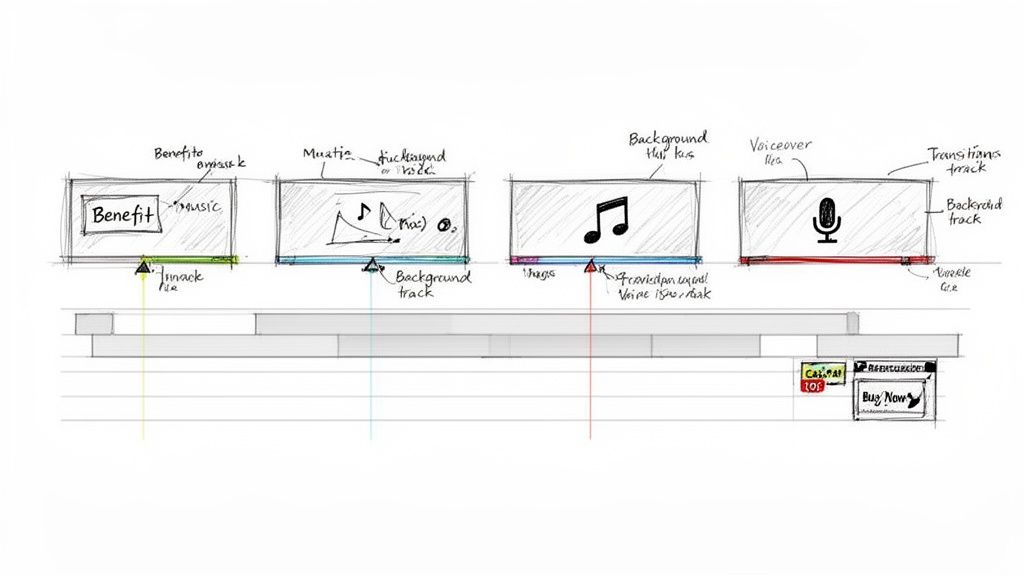
Getting those initial clips from an AI tool like Veemo feels like a huge win, but the raw output is just your starting point. The real magic happens in post-production. This is where you stitch those impressive visuals into a story that actually persuades people to buy.
It’s easy to think the AI did all the heavy lifting, but your editor's eye is what separates a cool tech demo from a professional video that drives sales. You’ll be fine-tuning the rhythm, clarifying the message, and adding those final layers of sound and text that bring it all together.
Assembling and Pacing Your Narrative
First things first, let's get those AI-generated clips arranged into a sequence that flows. This is all about controlling the rhythm of your story. A video with clunky pacing feels amateur, and you’ll lose your viewer in seconds.
Start by being ruthless with your trims. Shave off any dead air at the beginning and end of each clip. You want tight, punchy edits that keep the story moving. Think about the energy you want to create—a rapid-fire sequence of quick cuts can build excitement for a product launch, while a slower, more deliberate shot can really emphasize craftsmanship and quality.
Adding Impact with Text and Graphics
Here’s a hard truth: most people will see your video on social media with the sound off. This makes your text overlays and on-screen graphics absolutely essential. They’re your best shot at communicating key benefits and directing the viewer's eye.
When you're adding text, stick to these rules:
- Be Punchy: Use short, powerful phrases. Instead of "This product makes cleaning easy," go with something like "Effortless Cleanup."
- Stay On-Brand: Use your brand’s fonts and color palette. Consistency is key for building recognition.
- Time It Perfectly: Animate your text to pop up the exact moment a feature is shown. This visual reinforcement helps the message stick.
Simple graphics like arrows or circles can also be surprisingly effective for highlighting specific product details. Don't underestimate these small visual cues.
The Power of Sound and Voice
Okay, so while most people watch on mute, sound is still a game-changer for the ones who don't. The right background music can completely shift the mood, making your brand feel more exciting, trustworthy, or even luxurious. Find a track that matches the personality of your brand and the story you're telling.
A professional voiceover can also add a layer of authority and clarity. Modern AI voice tools have gotten scarily good, letting you create clean, human-like narration without the cost of a voice actor. It’s perfect for explaining a complex feature or just adding a more personal touch.
The best product videos are designed for silence but are made even better with sound. If your message doesn't land with the audio off, music won’t save it. Get the visuals and text right first.
Integrating a Strong Call-to-Action
You've done the work. You've grabbed their attention and shown them why your product is great. Now what? You have to tell them exactly what to do next. A video without a clear call-to-action (CTA) is a massive missed opportunity.
Your CTA needs to be visual and, if you have a voiceover, verbal. End your video with a bold text overlay that says "Shop Now," "Learn More," or whatever your goal is. Pair this with a final, compelling shot of your product to seal the deal. This isn't the time to be subtle—make your CTA impossible to ignore.
Optimizing for Every Platform
Finally, you need to make sure your masterpiece looks perfect everywhere you post it. A one-size-fits-all video file just doesn't cut it anymore. Each platform, from your Shopify store to TikTok, has its own rules and audience expectations.
Creating and exporting multiple versions of your video for each channel is a non-negotiable step. Paying close attention to the right aspect ratio, resolution, and video length will ensure everyone has a great viewing experience, which directly impacts your reach and results.
Here’s a quick-reference table to help you get your export settings right every time.
Platform-Specific Video Optimization Settings
| Platform | Ideal Aspect Ratio | Recommended Resolution | Max Duration |
|---|---|---|---|
| Instagram Feed/Reels | 9:16 (Vertical) | 1080 x 1920p | 90 seconds |
| TikTok | 9:16 (Vertical) | 1080 x 1920p | 10 minutes |
| YouTube (Standard) | 16:9 (Horizontal) | 1920 x 1080p (or 4K) | 15 min (unverified) |
| YouTube Shorts | 9:16 (Vertical) | 1080 x 1920p | 60 seconds |
| Facebook Feed/Reels | 4:5 or 9:16 | 1080 x 1350p or 1080 x 1920p | 240 minutes (Feed) |
| E-commerce Product Page | 1:1 or 4:5 | 1080 x 1080p or 1080 x 1350p | ~30-60 seconds |
Keep this guide handy. Exporting with these settings in mind will save you a lot of headaches and make sure your videos always look professional and native to the platform they're on.
Distributing and Measuring Your Video Performance
Alright, you’ve put in the work and created a product video you're proud of. But clicking "export" isn't the finish line. A brilliant video that nobody sees is just a well-made file taking up space on your hard drive.
Now comes the crucial part: getting that video in front of the right eyeballs and figuring out if it’s actually making a difference for your business. This is where we shift from being a producer to a performance marketer.
Crafting a Strategic Publishing Checklist
Just throwing your video up on YouTube or your product page and hoping for the best is not a strategy. To get the most out of your effort, you need to be deliberate about how you publish. It’s all about giving your video the best possible chance to be discovered.
Think about it from your customer's perspective. What would they type into Google or YouTube to find a solution like yours? Your video's title and description are your best friends here. The title needs to be punchy and packed with your main keyword, while the description should go deeper, weaving in secondary keywords as you explain the benefits.
Before you ever hit that "publish" button, run through this quick checklist:
- Compelling, Keyword-Rich Title: Does it grab attention while being crystal clear? "How to Use the AeroPress Go for Perfect Travel Coffee" blows "AeroPress Demo" out of the water.
- Detailed, Searchable Description: Did you include links back to your product page? What about timestamps for longer guides? Treat the description like a mini-blog post that helps search algorithms understand what your video is all about.
- Custom Thumbnail: A bright, high-contrast thumbnail is non-negotiable. It should show the product clearly and maybe even include a bit of text to spark curiosity. A killer thumbnail can literally double your click-through rate.
- Tags and Categories: On platforms like YouTube, using relevant tags is like giving the algorithm a roadmap to find your ideal audience. Don’t skip this.
Moving Beyond Vanity Metrics
Once your video is out in the wild, the numbers will start trickling in. It’s so easy to get fixated on the view count, but views alone are a dangerously misleading metric.
A video with 10,000 views that leads to zero sales is a complete flop. I'd much rather have a video with 500 views that drove 50 actual purchases.
The real goal isn't just to get the most views; it's to get the right views from people who are genuinely interested in what you're selling. Ditch the vanity metrics and focus on what impacts your bottom line.
To get the real story, you need to dive into your analytics, whether that's in YouTube Studio, your Shopify dashboard, or your social media insights.
Key Performance Indicators That Actually Matter
So, what should you be looking at? Let's talk about the numbers that give you real, actionable insights into how people are responding to your video.
These are the three core metrics I obsess over for every video I launch:
- Watch Time and Audience Retention: This shows you exactly how long people stick around. Is there a big drop-off 30 seconds in? Go look at what's happening at that moment. Was it a boring shot? Did the audio dip? This is pure, unfiltered feedback on your video’s pacing and content.
- Click-Through Rate (CTR): This is the percentage of people who saw your video's thumbnail and title and actually clicked to watch. A low CTR is a screaming signal that your thumbnail or title isn't resonating with the audience seeing it. Time to test a new one.
- Conversion Rate: For an e-commerce brand, this is the holy grail. How many viewers clicked the link to your product page and completed a purchase? Setting up conversion tracking can take a few extra minutes, but it's the only way to calculate the true ROI of your video.
By keeping a close eye on these performance metrics, you create a powerful feedback loop. You’ll learn what hooks your audience, what bores them, and what ultimately convinces them to buy. This data-driven approach is how you stop guessing and start creating product videos that sell.
Got Questions About Making Product Videos?
Even with an AI co-pilot, jumping into video creation can bring up a few questions. I get it. You want to make sure you're getting it right from the start. So, let’s clear up some of the common uncertainties I hear all the time.
Think of this as a quick chat to iron out the details before you hit "generate."
How Long Should My Product Video Be?
This is the classic "it depends" question, but I can give you some solid guideposts. The right length really comes down to where people will see your video and what you want them to do.
On platforms built for quick scrolling, like TikTok or Instagram Reels, you have to be fast. We're talking 15-45 seconds, max. Your mission is to stop their thumb in its tracks and get your point across before they move on.
But if someone's on your product page or watching on YouTube, they've already shown more interest. Here, you have a bit more breathing room. A 60-90 second video usually hits the sweet spot. That’s enough time to really dig into the benefits, answer a few questions they might have, and build the trust they need to click "buy."
My rule of thumb? Deliver the most value in the least amount of time. If a shot doesn't serve a purpose, it gets cut. Your viewers' attention is a gift—respect it, and they'll stick around.
Can I Actually Make Professional-Looking Videos with AI?
Yes, absolutely. The days of AI video being a clunky, experimental gimmick are long gone. Today's AI models can generate stunningly realistic footage that understands lighting, physics, and cinematic movement, all from a simple text prompt.
Suddenly, you have the kind of creative control that used to require an entire film crew and a massive budget.
- Lighting: You can ask for anything from "soft morning light" to "dramatic, high-contrast studio lighting."
- Camera Angles: Direct your virtual camera with commands like "dynamic low-angle shot tracking the product" or a "slow, elegant orbiting pan."
- Motion: Get super specific about how you want the product to move, float, or interact with its environment.
This is a game-changer, especially for small businesses or solo entrepreneurs. You can now produce visuals that compete with what the big brands are putting out.
What are the Absolute Must-Haves in a Product Video?
No matter the style or length, every great product video stands on four key pillars. Nail these, and you’re on the right track.
- A Killer Opening Hook: You have maybe three seconds to earn their attention. Start with your most captivating shot or ask a question that hits on a common pain point.
- Crystal-Clear Demonstration: Don't just list features; show them in action. The visuals need to make the benefits of your product immediately obvious.
- Smart Text or Voiceover: So many videos are watched without sound. On-screen text is non-negotiable for communicating your core message.
- A Simple Call-to-Action (CTA): What do you want them to do? Don't leave them hanging. End with a clear, direct instruction like "Shop the Collection" or "Learn More on Our Site."
How Can I Make AI Videos Look Like My Brand?
This is a huge one. You don't want your videos to look generic. The trick is to weave your brand’s DNA into both the AI generation and the final editing process.
Start with your prompts. If your brand is minimalist, use words like "clean," "uncluttered," and "serene." If it's bold and energetic, try "vibrant," "dynamic," and "high-energy." You can even reference your brand's specific hex codes.
Then, in the editing stage, layer in your unique assets. Add your logo, use your brand fonts for any text overlays, and choose music that captures your brand's vibe. It’s this blend of smart prompting and thoughtful post-production that makes an AI video truly feel like yours.
Ready to stop wondering and start creating? With Veemo AI, you have an entire production studio ready to go. You can generate incredible, sales-focused product videos in minutes, not months. Start creating with Veemo AI today.