If you want to create an AI video, the basic idea is pretty straightforward. You start with a solid plan, write out some detailed text prompts for the scenes you envision, and then feed those into a generator like Veemo AI to bring them to life. From there, you'll tweak settings like resolution and style, generate your clips, and stitch them all together. It’s a process that genuinely opens up video production to everyone, no matter your technical background.
The New Era of AI Video Creation
Welcome to the future of video—and it's probably not what you expected. Artificial intelligence is completely reshaping how we think about content, letting just about anyone create impressive videos without needing a massive budget or years of experience with complicated software. This guide is all about showing you how to jump right in.
We're going to dig into why so many creators and brands are now using tools like Veemo AI. Think about it: turning simple text ideas into cinematic shots, making static images move, or even creating realistic AI avatars. This isn't just a fleeting trend; it’s a real shift in how we tell stories and sell products.
Why AI Video Matters Now
Let's be honest, the pressure to produce video content quickly and affordably is through the roof. This isn't just a feeling; the numbers back it up. The AI video generator market is expected to explode from USD 946.4 million in 2026 to an incredible USD 3,441.6 million by 2033. You can read more about this AI video market growth on Grandviewresearch.com. That kind of growth shows just how vital these tools are becoming.
For businesses and creators on the ground, the advantages are immediate and tangible.
- E-commerce Stores: Imagine creating slick product demos and ads from a single line of text. No more expensive photoshoots—just dynamic, engaging visuals on demand.
- Social Media Managers: You can now generate a whole week's worth of video content in just one afternoon. This is a game-changer for keeping your feeds fresh and your audience hooked.
- Educators and Trainers: Need to explain a tough concept? Use an AI avatar to create compelling lesson materials and tutorials that make learning more visual and accessible.
This technology really does level the playing field. Not long ago, big companies with a 62.2% market share were the only ones who could afford high-end video. Now, if you've got a great idea, you have the tools to make it a visual reality.
Ultimately, figuring out how to create AI videos is about supercharging your efficiency and creativity. Instead of getting bogged down in a traditional production that takes weeks, you can go from concept to published video in a matter of hours. This guide will give you the practical, no-nonsense steps to do just that.
Laying the Groundwork: Planning and Scripting Your AI Video
It’s tempting to dive right into an AI video tool and start generating clips, but trust me, that's a surefire way to get frustrated fast. The single most important thing you can do before touching a single prompt is to figure out exactly what you're trying to achieve. Think of your goal as your North Star—it will guide every single decision from here on out.
So, start by asking: what is this video’s job? Are you trying to drive sales for that new skincare line on your Shopify store? Or maybe you're building a quick, digestible tutorial for an internal training program. The goal for a scroll-stopping Instagram Reel is worlds apart from an in-depth educational video for YouTube.
Nailing this down from the get-go saves you a ton of time and wasted credits. A video meant to sell a product needs a script that hammers home the benefits and wraps up with a strong call to action. An educational piece, on the other hand, needs to be all about clarity, breaking down complex information into easy-to-follow steps.
Writing for Your New AI Director
Scripting for an AI video generator like Veemo AI isn't about writing dialogue; it's about directing a visual story through text. This is a big mental shift from how you might have written scripts in the past. You have to think in scenes, in shots, and in hyper-specific visual cues that the AI can actually understand.
Instead of a generic line like, "A woman enjoys her coffee," you need to paint a detailed picture for the AI. A much better prompt would be: "Close-up shot of a woman with curly brown hair, smiling contentedly as she sips from a white ceramic mug. The scene is a sun-drenched, minimalist cafe." It's that level of detail that separates a generic, fuzzy result from a compelling, intentional shot.
Your script will essentially be a sequence of these visual commands. Treat each sentence as a new camera setup or a specific action.
- Who's the star? Get specific about your subject's appearance, clothing, and even their expression.
- What are they doing? Use strong, active verbs. Are they typing furiously, jogging through a park, or examining a blueprint?
- Where are we? Describe the environment. Think about the lighting and the overall mood. Is it a "moody, rain-slicked city street at night" or a "bright, airy yoga studio"?
- How are we seeing it? Don't forget to direct the camera. Use terms like "wide shot," "drone shot," "panning left," or "slow zoom in" to guide the AI's eye.
The real trick is learning to translate your story idea into a language the AI can execute. You're not just a writer anymore. You're the director, cinematographer, and set designer, all communicating through a text prompt.
Storyboarding Your AI-Powered Narrative
With your list of visual prompts ready, the next step is to arrange them into a simple storyboard or outline. This doesn't need to be anything fancy—a basic document or spreadsheet works perfectly. The point is to make sure your video has a clear beginning, middle, and end.
Let's imagine you're creating a 30-second ad for a social media campaign. Your structure might look something like this:
- The Hook (0-3 seconds): You need something visually arresting to stop the scroll.
- Prompt Idea: "Extreme close-up of a single drop of serum landing on a vibrant green leaf, creating slow-motion ripples."
- The Story (4-15 seconds): Show the product in action or solving a common problem.
- Prompt Idea: "Medium shot of a woman with radiant skin looking confidently into a mirror, a soft smile on her face."
- The Call to Action (16-30 seconds): End with a clear shot of the product and your key message.
- Prompt Idea: "Clean product shot of the serum bottle on a white marble surface, illuminated by soft morning light."
This kind of planning is truly what makes the difference between a random assortment of cool-looking clips and a video that actually works. It ensures every second of your final cut has a purpose and drives toward your ultimate goal.
Alright, you've got your plan and your script sorted. Now for the fun part: bringing those ideas to life. This is where you put on your director's hat and start telling the AI exactly what to create using a tool like Veemo AI. Getting this right is a mix of artistry and technical skill, but it's where the real magic happens.
Honestly, the quality of your final video comes down almost entirely to how well you write your prompts. A lazy, one-line prompt will give you a generic, uninspired clip. But if you get detailed and descriptive, you give the AI the specific instructions it needs to generate something that looks cinematic and perfectly matches your vision. Don't expect perfection on the first try; this is an iterative process. Each tweak to your prompt gets you one step closer to that perfect shot.
This whole workflow—from your initial goal to the final prompts—is what drives the entire AI generation process.
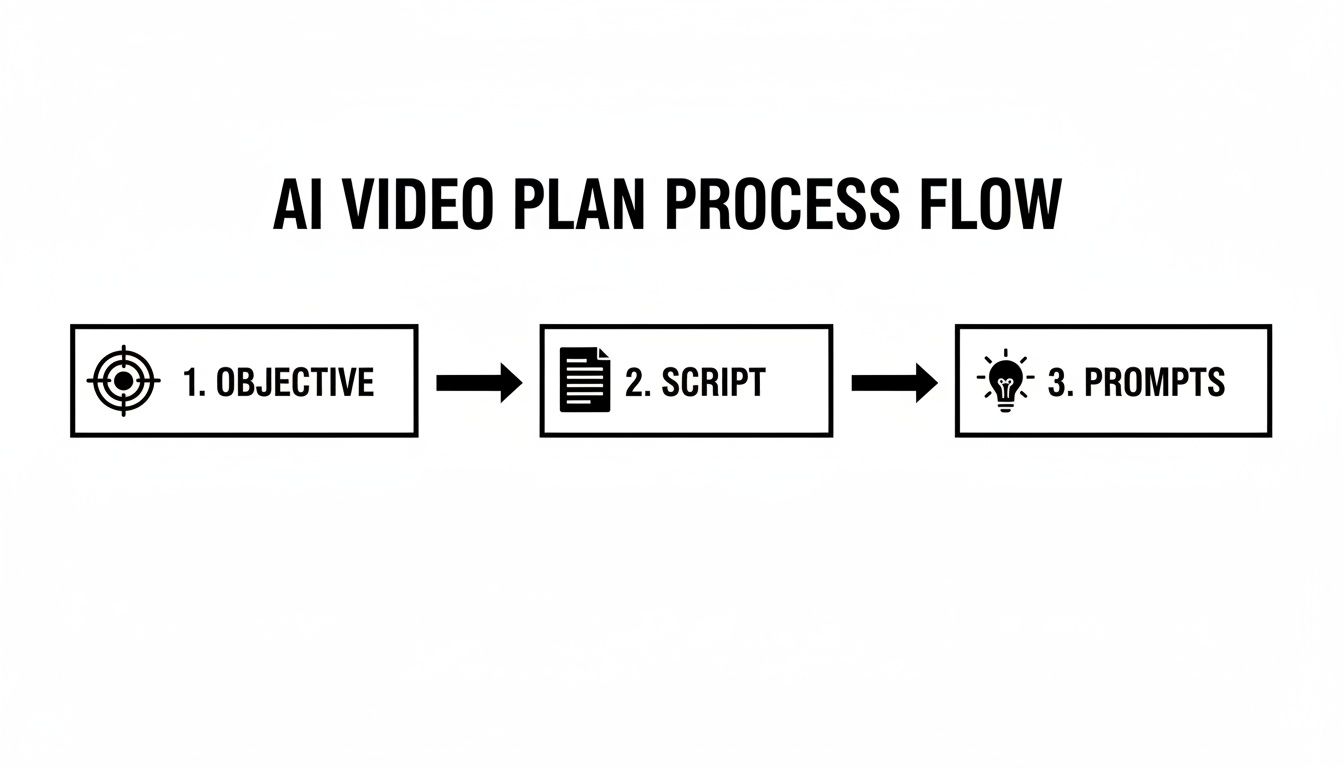
As you can see, great prompts don't come out of nowhere. They're built on a solid foundation of a clear objective and a well-thought-out script.
The Anatomy of an Effective AI Prompt
I like to think of a prompt as a detailed shot list I'm handing to my AI cinematographer. To get the best results, you need to layer in different types of information. A great prompt is specific but not so rigid that it stifles the AI's creativity.
Here are the key ingredients I always include in my prompts:
- Subject and Action: Be crystal clear about who or what the shot is about and what they’re doing. Vague verbs are your enemy. Instead of "a car driving," get specific: "a vintage red convertible speeding along a coastal highway at sunset."
- Setting and Environment: Paint a picture of the background. Think about the lighting, the weather, and the overall mood. Is it a "cluttered, futuristic cyberpunk alleyway drenched in neon light" or a "serene, misty forest at dawn"?
- Camera Work: This is where you really start to direct. Tell the virtual camera what to do. Using terms like cinematic wide shot, slow-motion close-up, panning shot from left to right, or dramatic dolly zoom will instantly elevate your clips.
- Art Style and Quality: Define the look you're after. Do you want photorealistic, 8K, hyper-detailed footage? Or maybe something more creative, like whimsical watercolor animation or gritty black-and-white film noir?
My biggest breakthrough came when I stopped just describing a scene and started directing it. Adding camera movements and specifying the lighting completely changed the game, turning flat clips into dynamic, professional-looking shots.
Choosing the Right AI Model in Veemo
Not all AI models are created equal. Different models have their own unique personalities and strengths; one might be a master of photorealism, while another excels at dreamy, animated styles. Inside Veemo AI, you’ll have a few to choose from, and picking the right one is a huge part of your strategy.
This table should give you a quick reference for which model to pick based on what you're trying to achieve.
Choosing the Right AI Model in Veemo
| AI Model (Example) | Best For | Key Strengths |
|---|---|---|
| Sora-like Model | Realistic marketing videos, product demos, cinematic short films. | Creates incredibly lifelike textures, physics-aware movements, and high-fidelity details. Perfect for when you need the video to look like it was filmed with a real camera. |
| Stylized Animation Model | Explainer videos, social media content, creative storytelling. | Ideal for generating unique visual styles, from anime to painterly aesthetics. Offers more creative freedom and is great for making abstract concepts tangible and engaging. |
| Runway Gen-4-like | Abstract visuals, surreal sequences, and experimental art. | Excels at creating dreamlike and imaginative visuals that defy reality. Use this for attention-grabbing hooks or videos that need a distinct, avant-garde feel. |
My advice? Play around. Run the same prompt through a couple of different models and see what you get back. The results can be surprisingly different and might even inspire a new creative direction.
Dialing in Your Generation Settings
Beyond the prompt and the model, a few technical settings will have a big impact on your final output. Getting these right from the get-go saves a lot of headaches later and makes sure your video looks polished and is ready for its intended platform.
- Aspect Ratio: This is just the shape of your video frame. Go with 16:9 for standard horizontal video (like for YouTube or a website), 9:16 for all things vertical (Instagram Reels, TikTok), and 1:1 for a classic square post (like an Instagram feed).
- Resolution: Higher resolution means a sharper picture. 1080p (Full HD) is a solid baseline for pretty much everything. If you’re making something for a big screen or just want that top-tier quality, bump it up to 4K. Just know it’ll likely take longer to generate and might cost more credits.
- Duration: Keep in mind that most AI tools generate short clips, usually somewhere between 4 to 16 seconds. You’ll need to plan your script in these bite-sized chunks. The final video comes together when you stitch all these little clips together in an editor.
From Static to Dynamic: Image to Video
One of my favorite features in tools like Veemo is the ability to animate a static image. This is a total game-changer, especially for anyone in e-commerce with a ton of product photos or for artists wanting to bring their work to life.
It's surprisingly simple. You just upload an image and then write a prompt that describes the motion you want to add. For instance, take a photo of a coffee mug. You could prompt it with: "Steam gently rises from the coffee, with subtle light reflections moving across the ceramic surface." The AI will then generate a short clip with that exact motion, turning a boring product shot into something dynamic and eye-catching. On social media, this simple trick can boost engagement by over 40% compared to just using a static image.
Advanced Techniques for Professional Polish
Getting your individual clips generated is one thing, but the real magic happens when you weave those raw pieces into a cohesive, polished story. This is where you put on your editor's hat, moving beyond simple generation to assemble a video that truly connects and stands out.
It's about more than just stringing clips together. We're talking about bringing in lifelike AI avatars for faceless content, editing with a storyteller's eye, and layering in audio that brings your visuals to life. This is the stuff that turns a collection of cool AI shots into a video that actually achieves its goal.
Building and Customizing Lifelike AI Avatars
One of the most practical tools you have is the AI avatar. It's the perfect solution for training modules, product demos, or any marketing message where you need a human presence without hiring an actor or stepping in front of the camera yourself. No more studio rentals or last-minute wardrobe panics—your AI presenter is always ready.
Inside a tool like Veemo AI, the setup is incredibly direct. You’ll usually start by picking a base model from a library of diverse-looking avatars. From there, you can dial in the details to match your brand or the specific personality you're going for.
- Appearance: Tweak clothing styles and color schemes to align with your brand's visual identity.
- Voice and Language: Select from a huge range of AI-generated voices, accents, and languages, which is a massive help for reaching a global audience.
- Backgrounds: Drop your avatar into any setting you need, whether it's a simple office backdrop or a fully custom-branded environment.
The big win here is consistency. Once you design an avatar, it becomes a recognizable face for your brand across an entire video series, building a sense of familiarity and trust with your audience.
Assembling Your Story in Post-Production
Once all your clips and avatar segments are ready, it's time to stitch them all together. This is the digital cutting room, where you’ll assemble your shots, trim them down to the perfect length, and make sure the whole thing flows smoothly from one scene to the next.
Your main goal is to create a rhythm. A snappy social media ad, for instance, thrives on quick cuts. You might have clips that are only a second or two long to keep the energy high. On the other hand, an educational video needs room to breathe, so you'll want longer shots and smoother transitions to give viewers time to process the information.
Don't be afraid to be ruthless in the edit. If a clip feels sluggish or doesn't add to the story, get rid of it. A tight, focused, and purposeful video is always more effective.
The editing bay is where your video truly takes shape. A fantastic edit can turn good clips into a great video, but a clumsy one can make even the most stunning AI footage fall completely flat. Pacing and flow are everything.
Adding Audio and Visual Flourishes
A silent video feels unfinished. The final layers of polish come from sound and graphics that set the mood and reinforce your message. Sound design is surprisingly powerful—it can create emotion, build excitement, or simply make the video more pleasant to watch.
- AI Voiceovers: Instead of fussing with a microphone, you can generate a clean, professional voiceover directly from your script. This is a game-changer for tutorials and explainer videos.
- Licensed Music: Most platforms offer a library of licensed music. Find a track that fits the vibe—something upbeat for a promo, or calm and subtle for a training video.
- Text Overlays and Graphics: Use text to call out key information, display a call to action, or introduce a topic. Adding your logo and simple branded graphics also helps maintain a professional look.
The efficiency gains here are hard to ignore. Creating AI videos can slash production costs by up to 60% and help teams produce content 50% faster than traditional methods. The numbers back it up: the generative AI video market was valued at USD 336.1 million in 2023 and is expected to rocket to USD 2,298.8 million by 2033. This isn't just a trend; it's becoming a fundamental part of a modern content strategy. You can dig into more data on the global AI video maker market to see the full picture.
Mastering Transitions and Color Grading
Finally, let's talk about the little things that make a big difference. The way you move between clips and the consistency of your colors are dead giveaways of a professionally made video.
Rather than just using hard cuts for every scene change, play around with transitions. A gentle cross-dissolve can create a much smoother feel, while a quick wipe or slide can inject a burst of energy. Just remember to use them with purpose, not just for decoration.
Color grading is another pro-level touch. It's the process of adjusting the video's colors to create a consistent look and feel. Applying a subtle filter can give all your clips a similar warm or cool tone, making it seem like they were all shot perfectly with the same camera. This one step does wonders for making your final product look cohesive and intentional.
Practical Workflows for Real-World Results
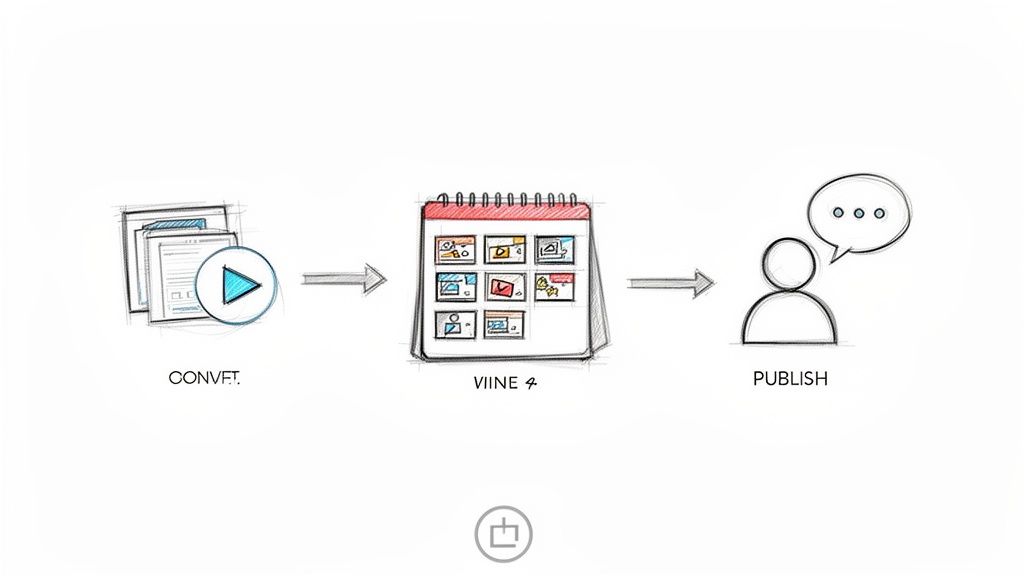
Knowing the theory is great, but the real test is applying these techniques to get results you can actually use. So, let's walk through a few concrete examples of how you can take a tool like Veemo AI from a simple idea to a finished video, ready for any platform.
These aren't just abstract concepts; they are repeatable workflows I've seen work time and time again. This is where you see how creating AI videos can slot right into your daily work, saving you a ton of time and unlocking new creative ideas.
E-commerce Product Video Workflow
Imagine an e-commerce brand that needs a sharp, 15-second video ad for a new luxury watch. All they have to start with is one high-quality product photo.
First up, you want to bring that hero shot to life. Upload the static photo into Veemo’s image-to-video tool to add some subtle, eye-catching motion.
- Prompt: "Subtle light glints move across the watch face and metal band. The second hand ticks forward smoothly. Cinematic, slow-motion."
This one simple clip becomes your powerful opening hook.
Next, you need to show the watch in context. Generate two or three short lifestyle scenes that tell a story.
- Prompt 1: "Close-up of a well-dressed man's wrist, wearing the watch, as he stirs an espresso at an upscale cafe. Warm, morning light."
- Prompt 2: "Over-the-shoulder shot of a man in a business suit driving a classic convertible, his hand on the steering wheel, showing the watch."
Finally, pull it all together in the editor. Start with the animated hero shot, then drop in the lifestyle clips. Add a clean text overlay with the brand name and a call to action like "Shop the Collection." A sophisticated instrumental track from the music library is the perfect finishing touch.
Social Media Content Batching
A social media manager's reality: you need a week's worth of on-brand video content for an organic skincare line, and you need it now.
The trick here is to build a "prompt library" based on the brand’s visual DNA. Think: "minimalist, earthy tones, soft natural lighting, focus on organic ingredients."
From there, you can knock out a whole week's content in one sitting.
- Monday Motivation: A serene, looping visual.
- Prompt: "Slow-motion video of a single drop of clear serum falling into a pool of water, creating gentle ripples. Minimalist, clean background."
- Wednesday How-To: A quick, satisfying tutorial.
- Prompt: "Close-up shot of a woman's hands gently massaging a facial oil into her glowing skin. Soft, natural morning light from a window."
- Friday Feature: A beautiful shot of a key ingredient.
- Prompt: "Macro drone shot flying slowly over a field of lavender in Provence, France. Hazy, golden hour sunlight."
This approach lets you create a ton of distinct content from a single creative session. The aesthetic stays consistent, but the feed feels fresh and full of variety.
Educational Explainer Video
Let's say an educator wants to create a short explainer on photosynthesis. Using a custom AI avatar can make the lesson feel much more personal and keep students hooked.
The rise of AI video tools is a game-changer for small businesses and creative studios, offering a kind of scalability that was once out of reach. The AI video generator market, valued at USD 0.43 billion in 2024, is expected to explode to USD 2.34 billion by 2030. This isn't just hype; it's driven by real demand for quality content that can be made at a fraction of the old-school time and cost. You can learn more about the explosive growth of the AI video market here.
The key is blending the presenter with clear, helpful visuals.
First, write the script and feed it into the AI avatar generator. You can customize the avatar with professional attire and set them against a simple, neutral background.
Then, you need to generate the B-roll—the animated visuals that will illustrate the concepts.
- Prompt 1: "Animated diagram showing a plant absorbing sunlight, water, and carbon dioxide from the air. Simple, clear graphics."
- Prompt 2: "A time-lapse animation of a small seedling sprouting and growing towards a light source."
In the editor, you weave it all together. The avatar footage is your main track, but you cut to the animated B-roll at key moments. When the avatar mentions "sunlight," you show the diagram. This keeps the lesson moving and makes the information stick. The result is a professional-looking educational video, created in under an hour.
Your AI Video Questions, Answered
As you start working with AI video, you’re bound to hit some snags or have questions. That’s totally normal. This is new territory, and the "rules" are being written as we go, mostly through good old-fashioned trial and error.
I've put together answers to some of the most common questions I hear from creators. Think of this as a way to shortcut the learning curve so you can spend less time troubleshooting and more time creating.
How Can I Make My AI Videos Look Like My Brand?
This is a big one. You don't want generic AI content; you want videos that feel uniquely yours. The good news is, brand consistency is entirely possible. It just takes a little prep work.
The secret is to build a "prompt library"—basically, a cheat sheet of descriptions that define your brand’s look and feel.
Your library should include things like:
- Color Palettes: Don’t just say "blue." Be specific. "A color palette of deep navy blue, terracotta orange, and cream."
- Visual Style: Nail down the vibe. Are you "cinematic and moody," "bright and minimalist," or "playful and vibrant"?
- Atmosphere: How should the video feel? Maybe it's "an atmosphere of calm professionalism" or it has "an energetic and youthful tone."
When you're using tools like Veemo AI for avatars, customize their clothing to match your brand. If the platform has a "seed" feature, using the same number across different clips can create a surprisingly cohesive look. And of course, always finish up in the editor—add your logo, maybe a consistent color grade, and use your brand fonts for any on-screen text.
What Are the Legal and Ethical Rules Here?
Navigating the legal and ethical side of AI video is non-negotiable. Let’s break it down.
Legally, it’s all about usage rights. When you have a commercial subscription to a platform like Veemo, you're typically granted a license to use what you create for your business. That means you're cleared for social media ads, website content, and marketing campaigns.
Ethically, the golden rule is transparency. Never try to pass off AI content as real footage if it could be misleading. The goal is to inform or entertain, not to deceive. Creating malicious deepfakes or spreading misinformation is a hard no.
If your AI avatar looks a lot like a real person, you absolutely need their permission. Always check the terms of service for whatever tool you’re using. They spell out exactly what’s allowed, keeping you on the right side of the law.
What if the AI Just Isn’t Getting My Idea?
We've all been there. You have a crystal-clear vision, but the AI gives you something… weird. Don't worry, and definitely don't give up. Getting the right shot is rarely a one-shot deal; it’s a conversation between you and the model.
If the output is off, your prompt is almost always the key to fixing it. Think like a film director giving notes to an actor.
- Be More Specific: Don't just ask for "a dog." Ask for "a golden retriever with a red bandana, panting happily in a sunny park." Details matter.
- Direct the "Camera": Tell the AI what you want. Use phrases like "from a low angle," "slow panning shot," or "dramatic zoom-in."
- Try a Different Angle (Literally): Sometimes, just rephrasing your idea is enough to get the AI to see it differently.
- Simplify It: If you're trying to create a really complex scene, break it into smaller, simpler prompts. You can always stitch the best clips together in the editor.
Also, don't forget to experiment with the different AI models inside Veemo. They each have unique strengths. One might be a master of photorealism while another excels at animation. Finding the right model for the job is half the battle.
Ready to stop wondering and start creating? Veemo AI gives you access to over 20 of the world's best AI video, image, and audio models in one simple subscription. Turn your ideas into reality today. Get started at https://veemo.ai.
Made with Outrank app